

Web Vitals
Tindra captures Core Web Vitals from your frontend pages so you can track real-user performance.
What is measured
| Metric | What it measures | Good threshold |
|---|---|---|
| LCP | Largest Contentful Paint: how fast the main content loads | < 2.5s |
| INP | Interaction to Next Paint: responsiveness to user input | < 200ms |
| CLS | Cumulative Layout Shift: visual stability | < 0.1 |
| FCP | First Contentful Paint: when the first content appears | < 1.8s |
| TTFB | Time to First Byte: server response time | < 800ms |
Enabling web vitals
Web Vitals are captured automatically when you initialize the Sentry browser SDK with performance monitoring enabled.
npm install @sentry/browser
import * as Sentry from '@sentry/browser';

Sentry.init({
  dsn: 'https://your-key@your-hostname.tindra.sh/1',
  integrations: [Sentry.browserTracingIntegration()],
  tracesSampleRate: 0.1,
});
No extra configuration needed. The SDK automatically captures Web Vitals for every sampled page load.
The web vitals view
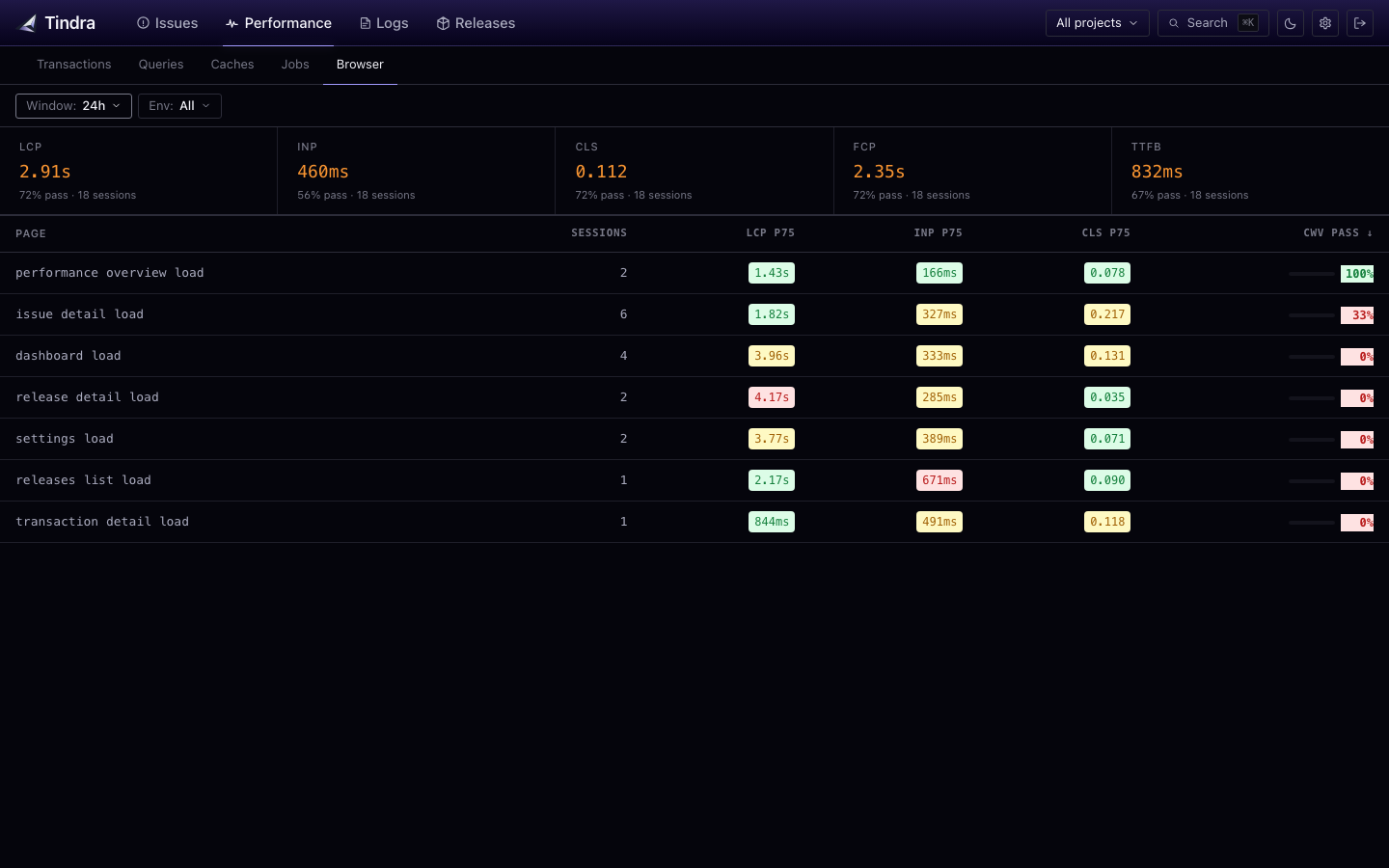
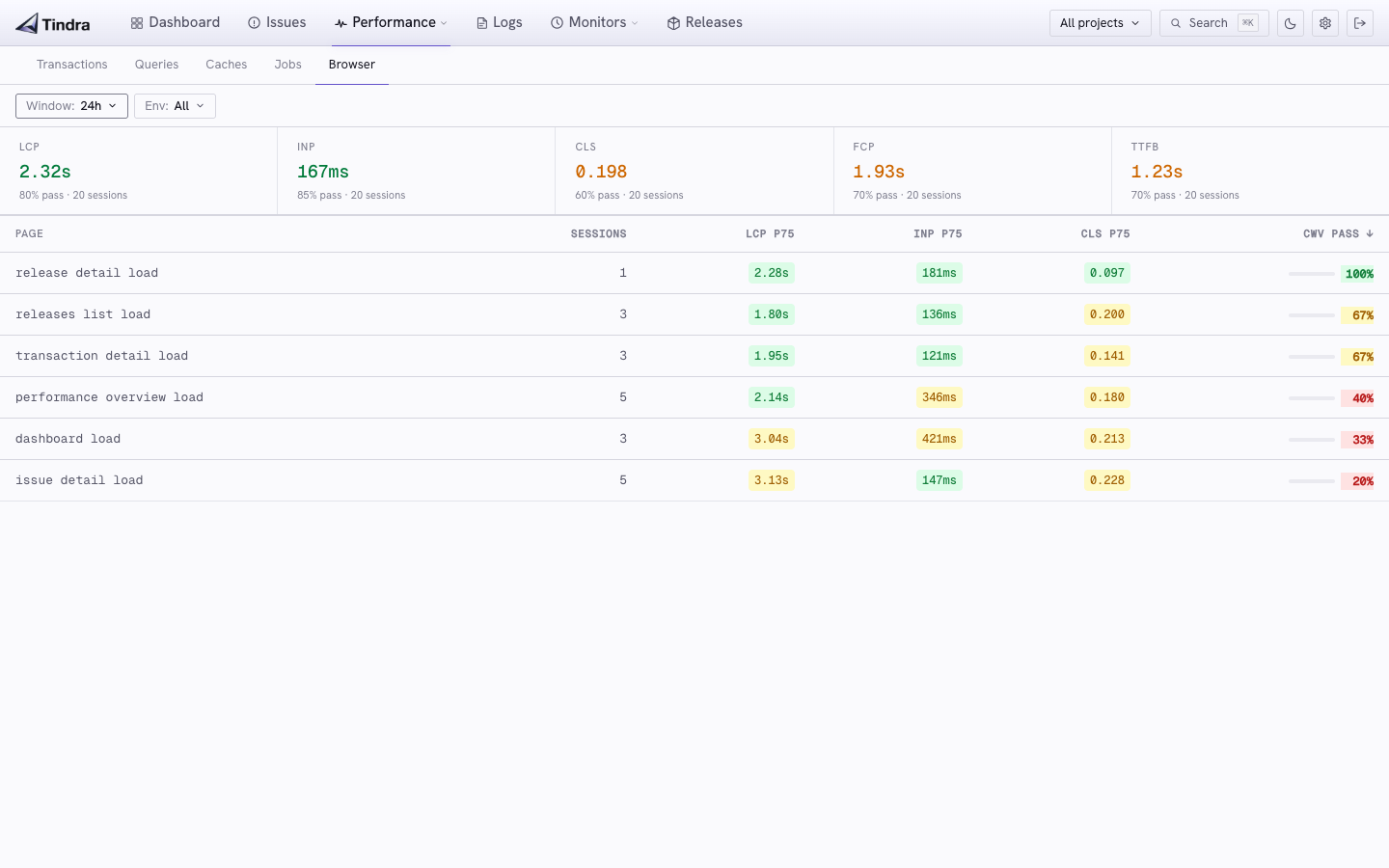
With no user selected, navigate to Performance > Browser to see aggregated metrics per page. Each row shows the P75 value for each metric and a pass rate. The percentage of page loads that hit the "Good" threshold.
The P75 matters more than the average. Optimizing for P75 improves the experience for the slowest quarter of your users, who are often on worse devices or connections.
Filtering
Use the shared filters to compare projects, environments, and time ranges. Selecting a user changes Browser to a list of that person's captured page loads, with time, page, duration, and available LCP, INP, and CLS values. Open an entry to investigate its transaction. See User Debugging.
Interpreting results
High LCP: usually a large image, a slow server response, or render-blocking resources. Check the TTFB first; if that is also high, the bottleneck is server-side.
High INP: long JavaScript tasks blocking the main thread. Look for heavy event handlers, excessive re-renders, or synchronous work triggered by user interactions.
High CLS: elements shifting after load, usually images without explicit dimensions or content injected above existing content.
Browser SDK requirements
Web Vitals require the Sentry browser SDK (@sentry/browser or a framework wrapper like @sentry/react, @sentry/vue, @sentry/angular). Server-side SDKs do not capture Web Vitals.