

Health Overview
The overview tab is a live snapshot of your Tindra instance: database size, data volumes, retention, and quota usage. Check it before disk fills up, not after.
Access it at Settings > Overview.
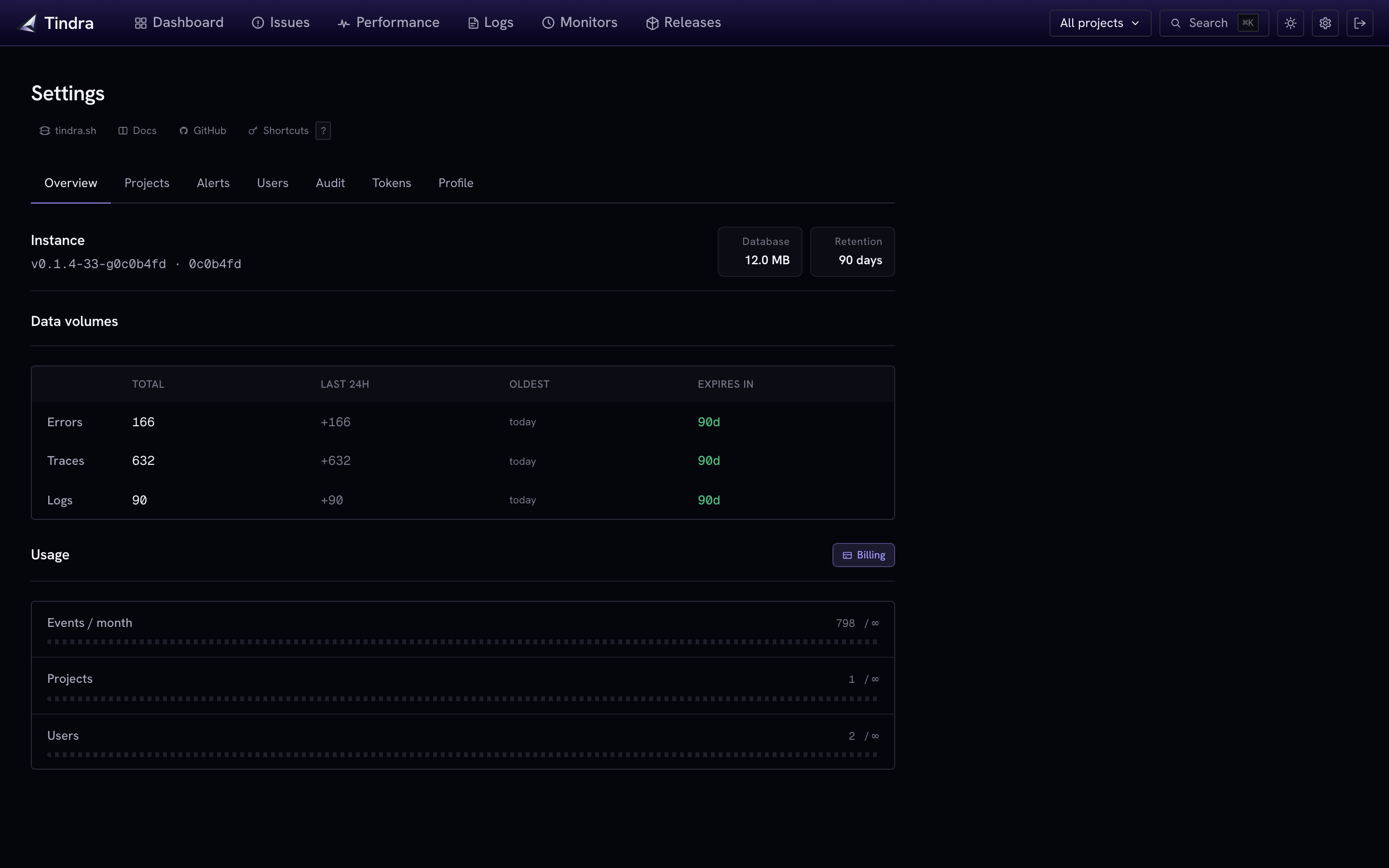
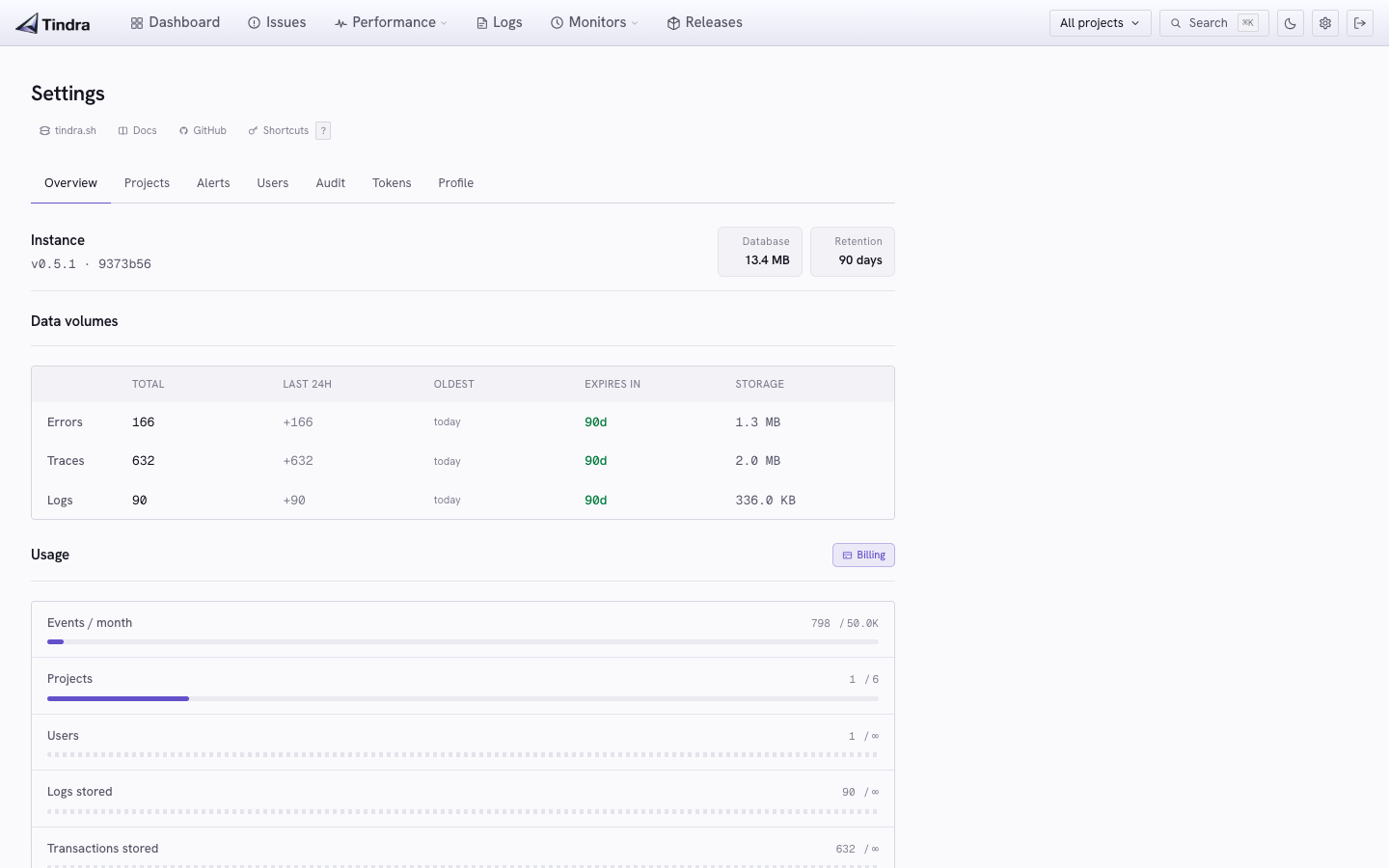
Viewing the overview requires the
manage_projectspermission.
Database size
The chip in the header is the total Postgres size. Use it to track growth and size your disk.
Profiles count toward the database size but do not have a row of their own in the table below. If the database is growing faster than errors, traces, and logs explain, profiling is the usual reason. Check
PROFILE_STORAGE_LIMIT_MBin Profiling.
Retention days sit next to it. 0 shows as Forever, meaning general age cleanup is disabled. Independent row caps and profile policies can still delete data.
Data volumes
Three rows: Errors, Traces, and Logs.
| Column | Description |
|---|---|
| Total | Records currently stored |
| Last 24h | Records received in the last 24 hours |
| Oldest | Age of the oldest stored record |
| Storage | Disk used by that data type |
There is no separate "expires in" column. Retention is the chip in the header. Oldest tells you how far back the data actually goes.
If Oldest is always a few hours, either ingest is huge or RETENTION_DAYS is lower than you think.
Quota gauges
The Usage section shows current counts and their configured limits. An infinity symbol means that particular cap is unlimited.
| Gauge | What it measures |
|---|---|
| Events / month | Events in the current billing period vs. event cap |
| Projects | Active projects vs. project limit |
| Users | Active users vs. user limit |
| Logs stored | Stored log rows across projects vs. LOG_ROW_LIMIT |
The event gauge shows a warning at 80% usage and a danger state at 100%. For managed instances, the cap comes from the plan; self-hosted instances can configure it themselves.
LOG_ROW_LIMIT appears under Logs stored; TX_ROW_LIMIT has no separate usage gauge. Both periodically delete globally oldest rows when exceeded, so stored rows may temporarily exceed the cap. Transaction cleanup also removes child spans. See Configuration.
Ingestion status
Queue health is available separately through GET /api/instance/ingestion, using a session with manage_projects, and through authenticated Prometheus metrics at GET /metrics. Metrics require the operator STATS_API_KEY, independently of database/session authentication. They include pending work, retries, rejected/dropped items, and last successful writes.
The Overview UI shows storage and usage figures; it does not display these queue metrics. See Ingestion Monitoring for scrape configuration, metric meanings, and backlog troubleshooting.
Self-hosting guidance
For a healthy self-hosted instance, watch for:
- Database growth outpacing disk: Last 24h tells you how fast you are filling up
- Retention set too short: if Oldest is always very recent, data is being purged before you would review it
- Retention set too long: if database size is growing faster than expected, reduce
RETENTION_DAYS
See Configuration for the relevant environment variables.