

What Tindra does, and how it works.
Follow an error into the logs, requests, and code that explain it. Tindra combines investigation tools with uptime and cron monitoring in one Go binary backed by Postgres, ready to self-host or run on a dedicated managed instance in the EU.
Everything important, one screen.
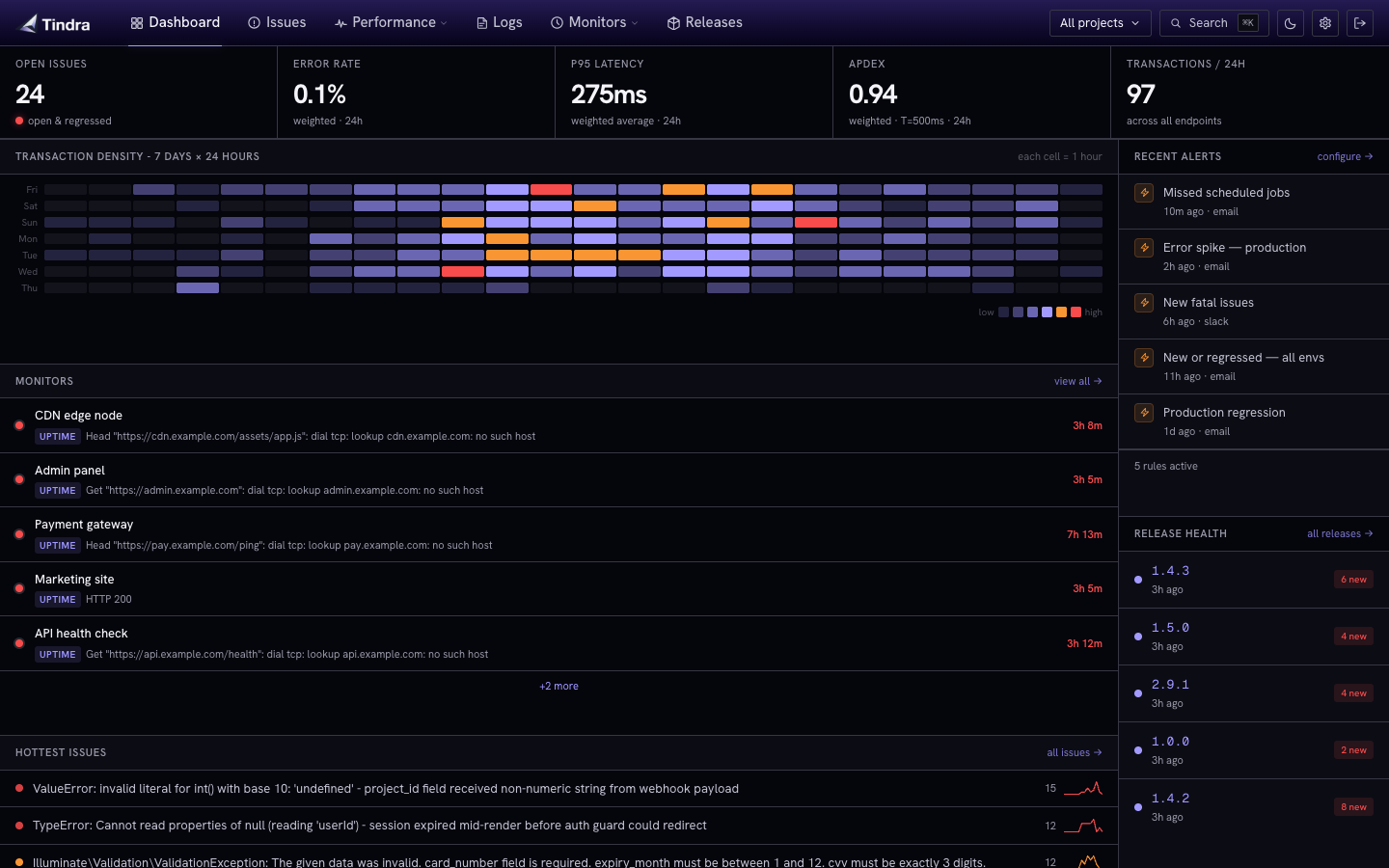
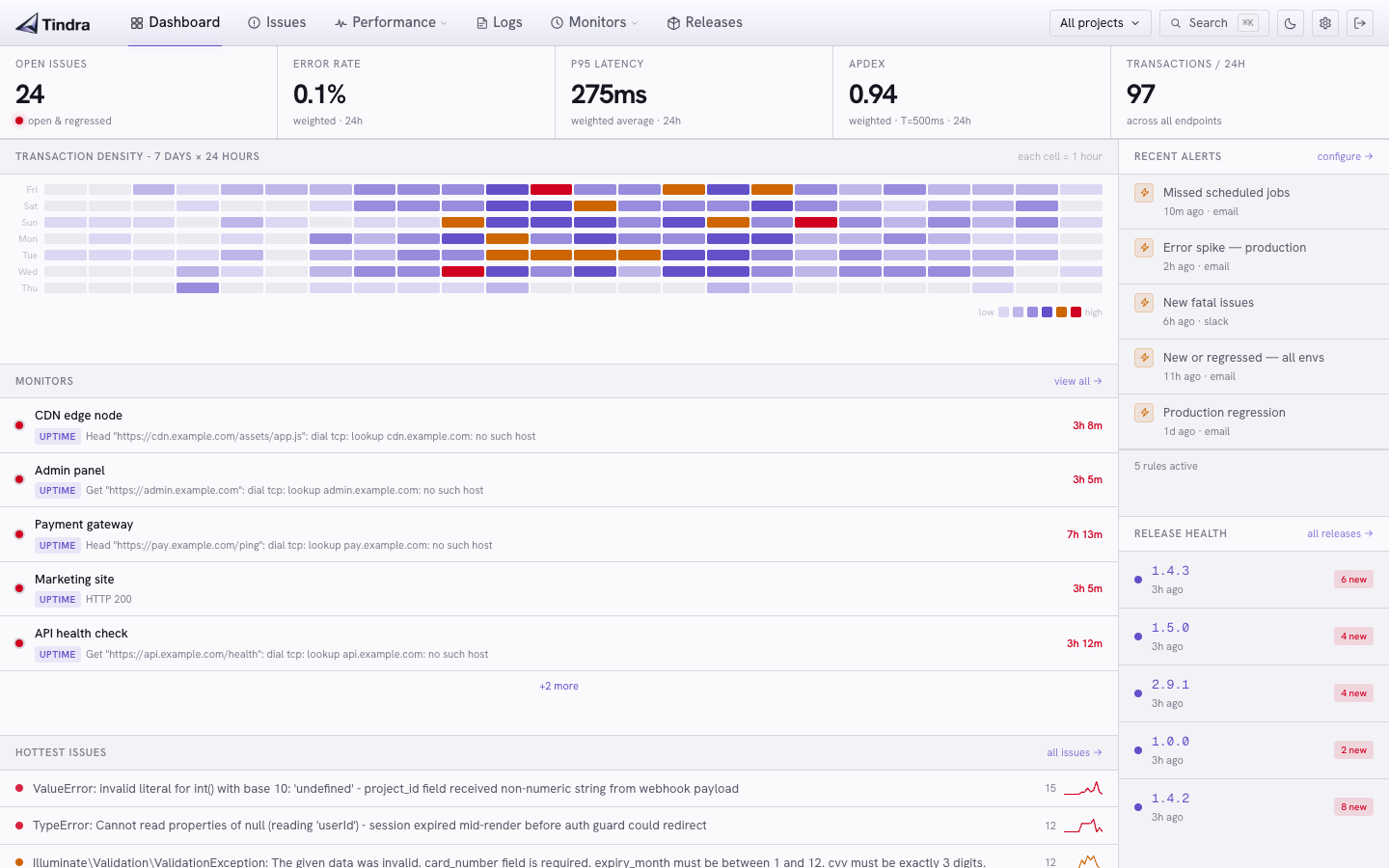
The dashboard is the first thing you see when you open Tindra. It aggregates signal from every project into a single live view so you know the health of your entire stack at a glance.
- Transaction metrics: latency, throughput, and Apdex within your selected investigation scope
- Traffic heatmap: 7-day × 24-hour grid showing when your application is busiest
- Hot issues: top 5 most frequently occurring errors right now
- Slow transactions: top 5 endpoints by P95 latency
- Recent releases: latest deployments at a glance
- Alert activity: last rules to fire, so you can see what has been noisy
- Shared filters: focus transaction metrics by project, environment, user, and time
- Current state: issues, alerts, releases, and monitors retain their own scope, with seven days shown in the traffic heatmap
Start with a customer’s error and follow what happened.
Someone reports a failed checkout. Select their identity on the error event, narrow the time range, and carry that context into logs and performance. You can follow their captured activity without rebuilding each search.
- One investigation context: project, environment, user, and time follow you between telemetry views
- Individual activity: selecting a user shows their traces and browser page loads
- Shareable links: send a rolling window or fixed interval to a teammate with access
Follow a user across signals or read how shared filters work.
Move from the symptom to the work behind it.
- Inspect the error: read the stack, breadcrumbs, release, and affected user
- Find the log: search the message and inspect structured attributes around the failure
- Open the trace: follow a matching stored transaction into its database calls and other spans
- Check the browser: inspect the user’s captured page loads and available Web Vitals
Use a consistent SDK user ID across related apps. Tindra follows captured telemetry; availability depends on what your SDK sends and samples.


 View this customer’s logs →
 View this customer’s logs →
Catch errors, understand them, resolve them.
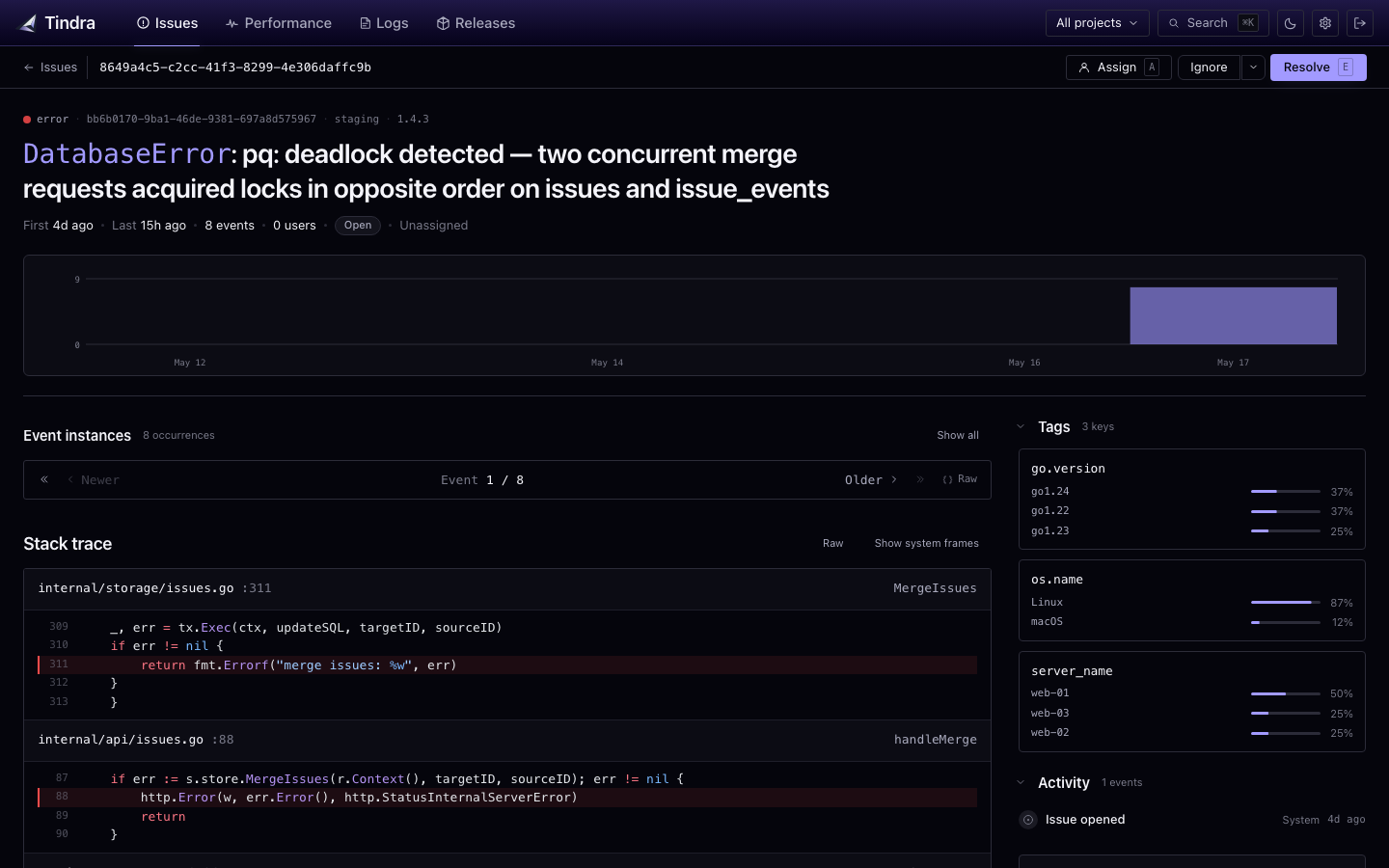
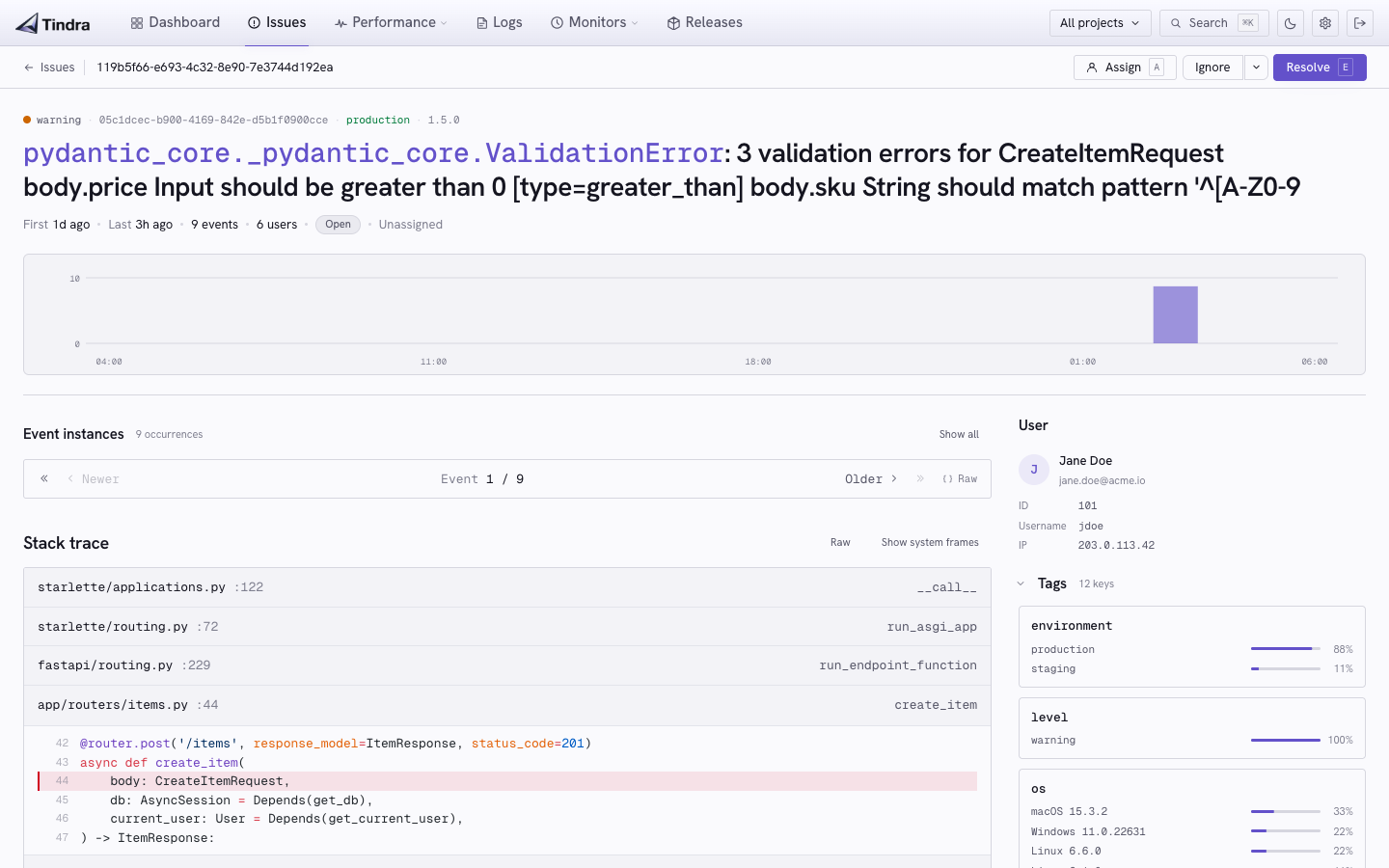
Captured errors are grouped by fingerprint so your team can work through recurring problems together. Open an occurrence to inspect the context your SDK supplied.
Each issue carries the full stack trace, a breadcrumb timeline of what led to the crash (HTTP requests, DB queries, log lines, user actions), the environment it occurred in, and the stored event payload.
- Grouping and deduplication by fingerprint: SDK-provided, exception-based, or message hash
- Breadcrumbs showing HTTP calls, DB queries, cache hits, and log lines before the crash
- Full stack trace with source file, line number, and local variables
- Source maps uploaded per release, resolved automatically on JS stack frames at render time
- Assignments and comments: assign to a team member, leave notes directly on the issue
- Status transitions: open, resolved, ignored, regressed
- Bulk operations: resolve, ignore, assign, or re-open multiple issues at once
- Merge and unmerge: combine related issues into one, split them back if needed
- Search and filter by title, status, level, tags, and shared project, environment, user, and time selections
- Regression detection when a resolved issue reappears in a new event
- Refresh controls: pause automatic updates while investigating, or refresh to return to the latest results
- Data export up to 10,000 issues as JSON or CSV
- Dark mode, first class. Every screen ships with a carefully designed dark theme. One click to toggle, persisted across sessions
- Fully responsive: every screen works on mobile. Triage an error at 2am without pinching to zoom
Read the logs around the failure, then follow the trace.
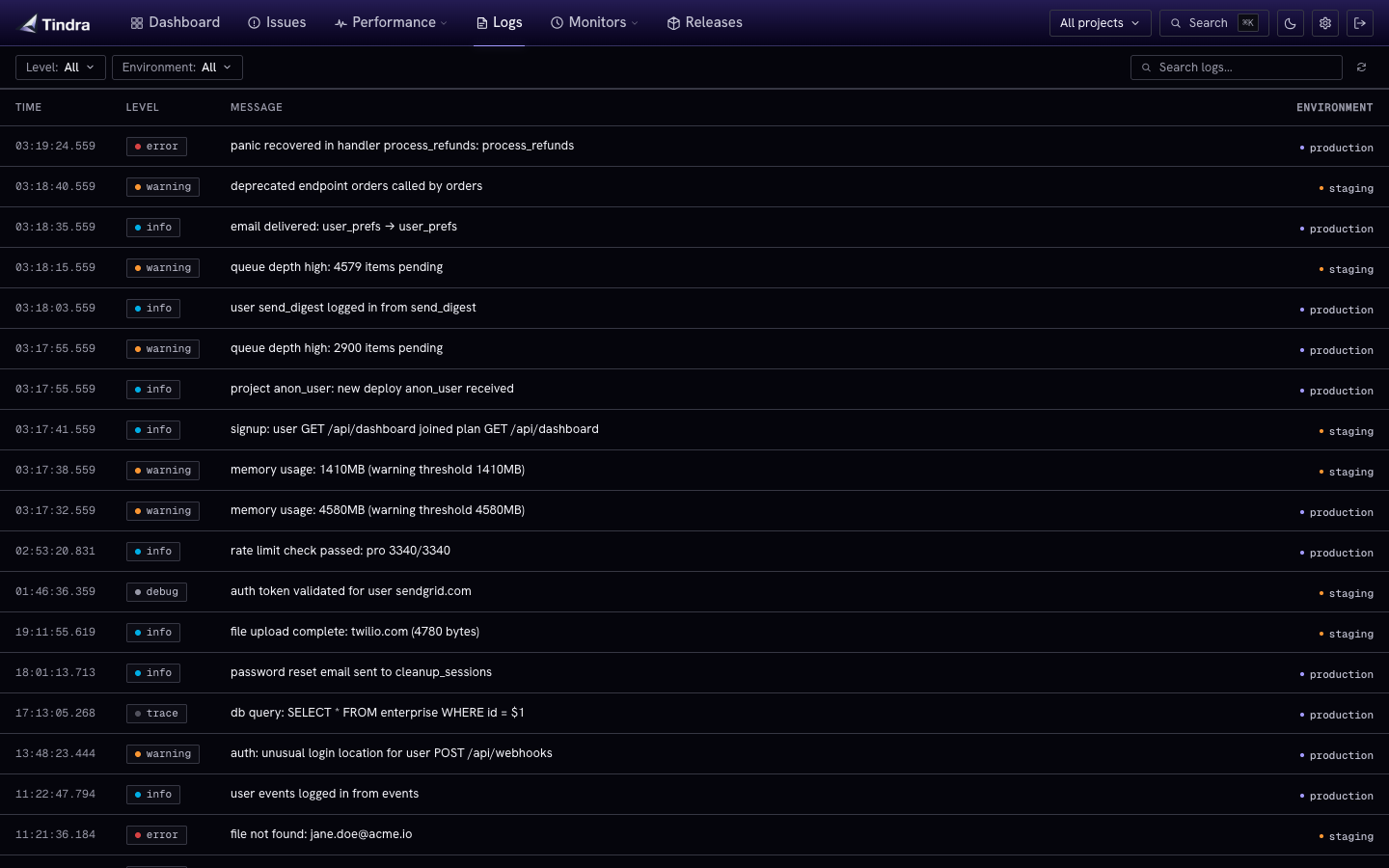
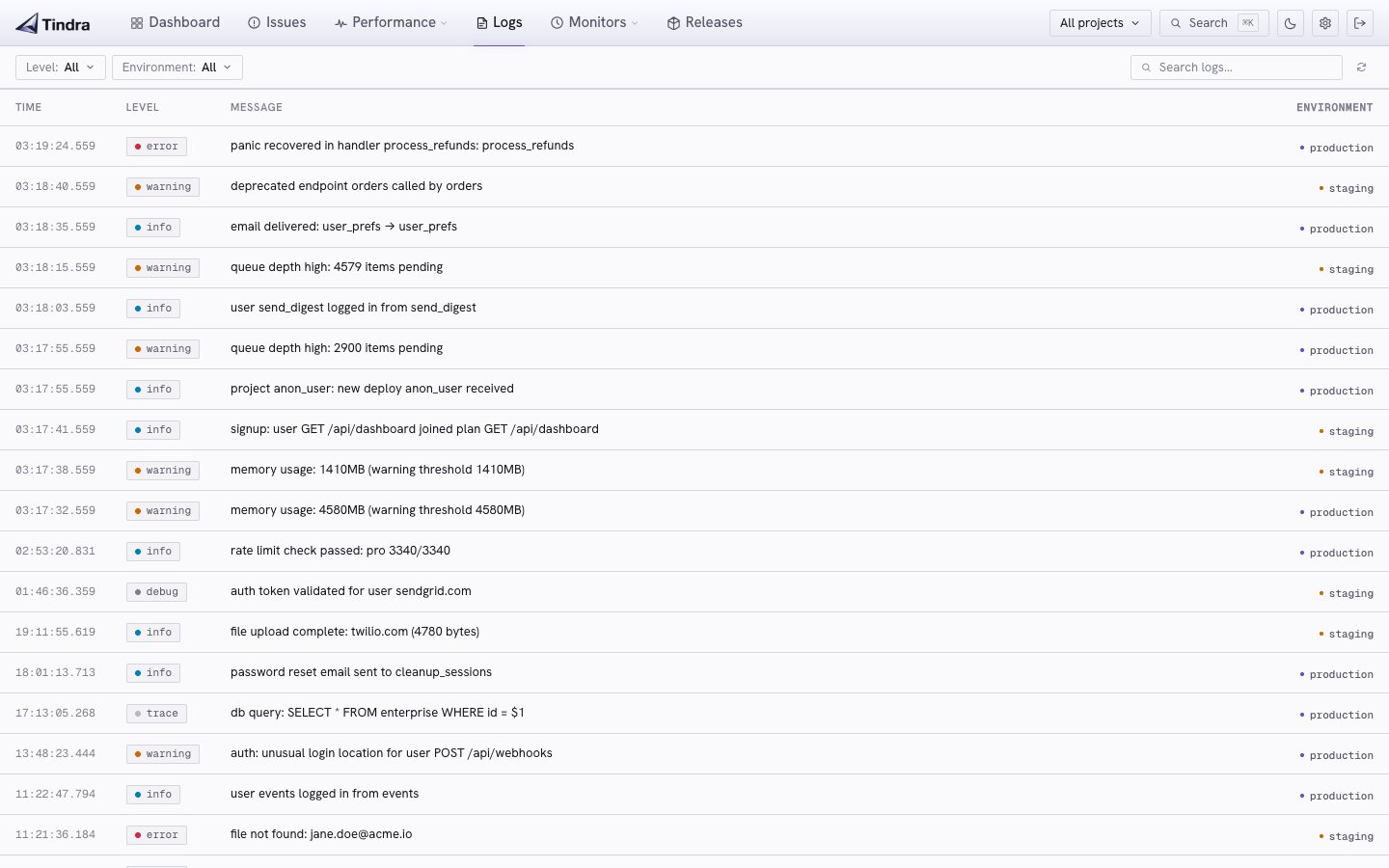
Search structured log messages within your investigation, expand a row for its attributes, and open a matching stored transaction when trace context is available.
- Focused searches: combine message text and severity with project, environment, user, and time
- Structured context: inspect the full attributes, release, trace ID, and span ID
- Volume alerts: prefill a rule from projects, environment, level, and message search
Alerts evaluate their own rolling window and minimum severity. Your selected user and fixed investigation interval stay with the investigation.
Transactions, span waterfalls, and where your time went.
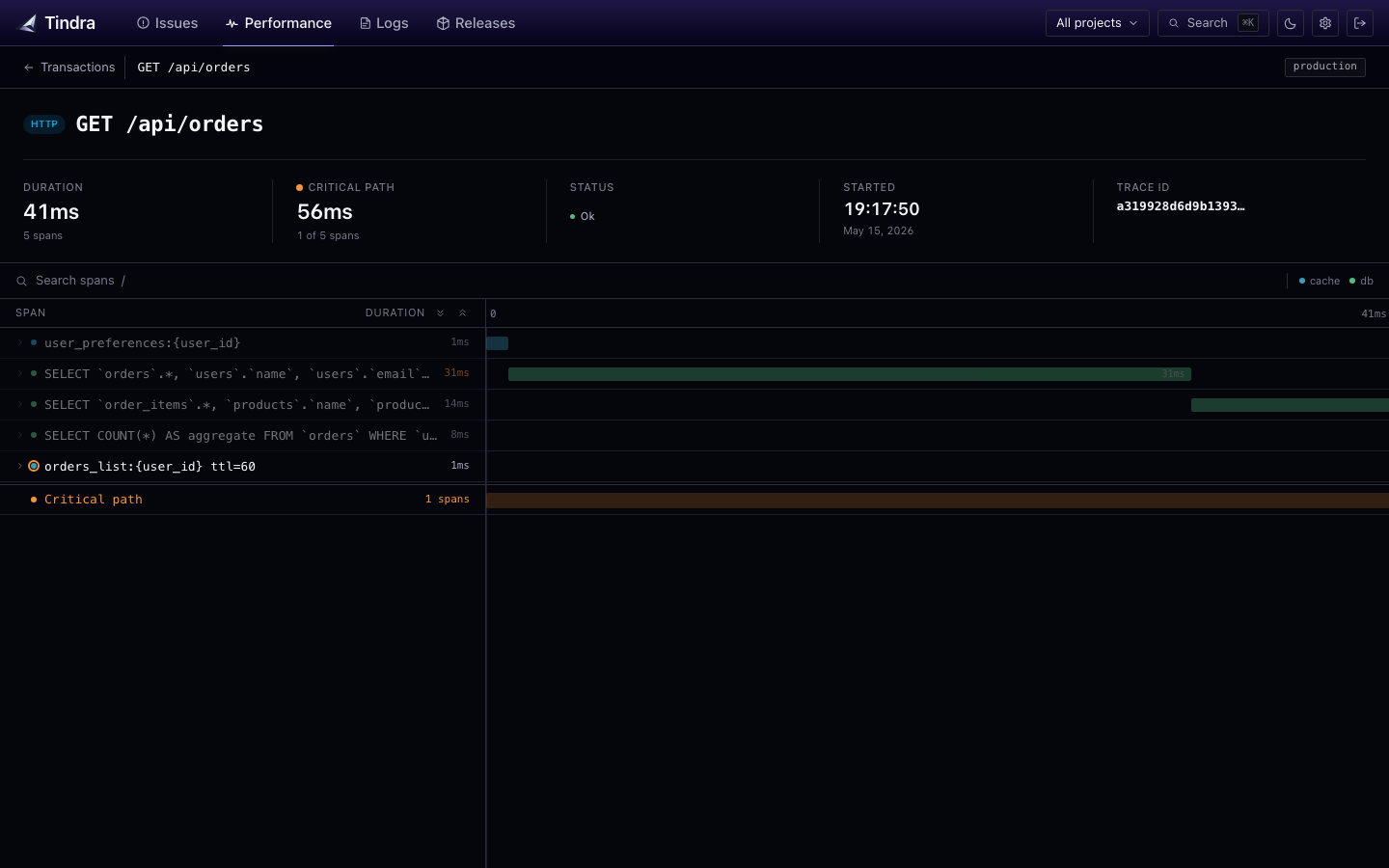
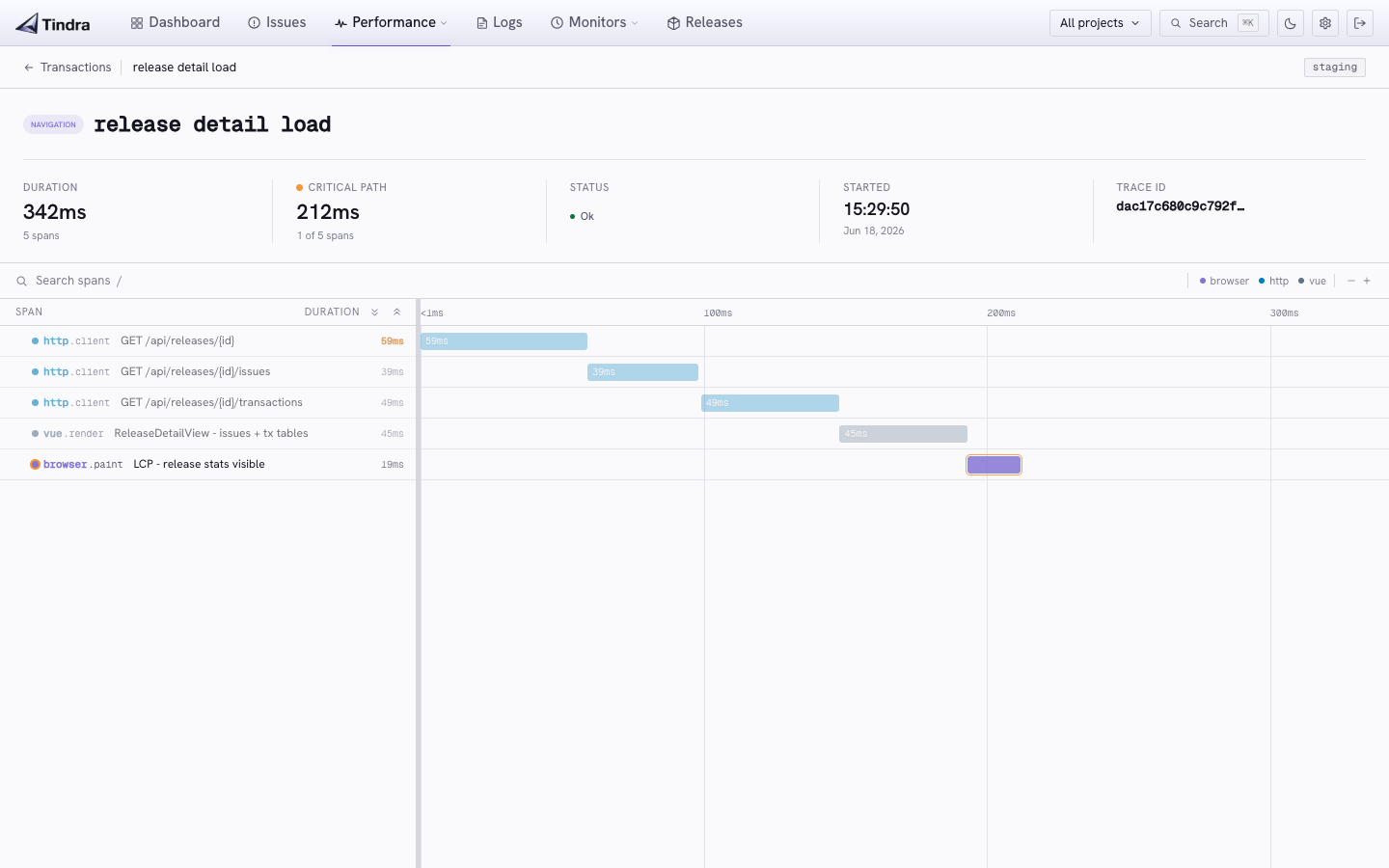
Every traced request becomes a transaction with a full span waterfall: database queries, HTTP calls to external services, template renders, queue dispatches. See exactly where your 800ms went.
- Endpoint metrics for latency and throughput, switching to individual traces when you select a user
- Queries, caches, and jobs scoped to the selected user through their transactions
- Apdex score: satisfaction-weighted performance score per endpoint and as a weighted average on the dashboard (T=500ms, color-coded green/yellow/red)
- Span waterfall with DB, HTTP, template, task, and custom spans
- Critical path highlighting: spans on the critical path are marked in amber, everything else dims so the bottleneck is obvious at a glance
- Web Vitals for browser page loads (LCP, INP, CLS, FCP, TTFB) with P75 and pass rate per page
- N+1 detection: repeated identical queries in a transaction are detected automatically and opened as issues
- Flame graph below the waterfall when the transaction carried a profile (more below)
- Error linkage from a transaction directly to the error that caused it
- Custom spans via the standard Sentry tracing API in any SDK
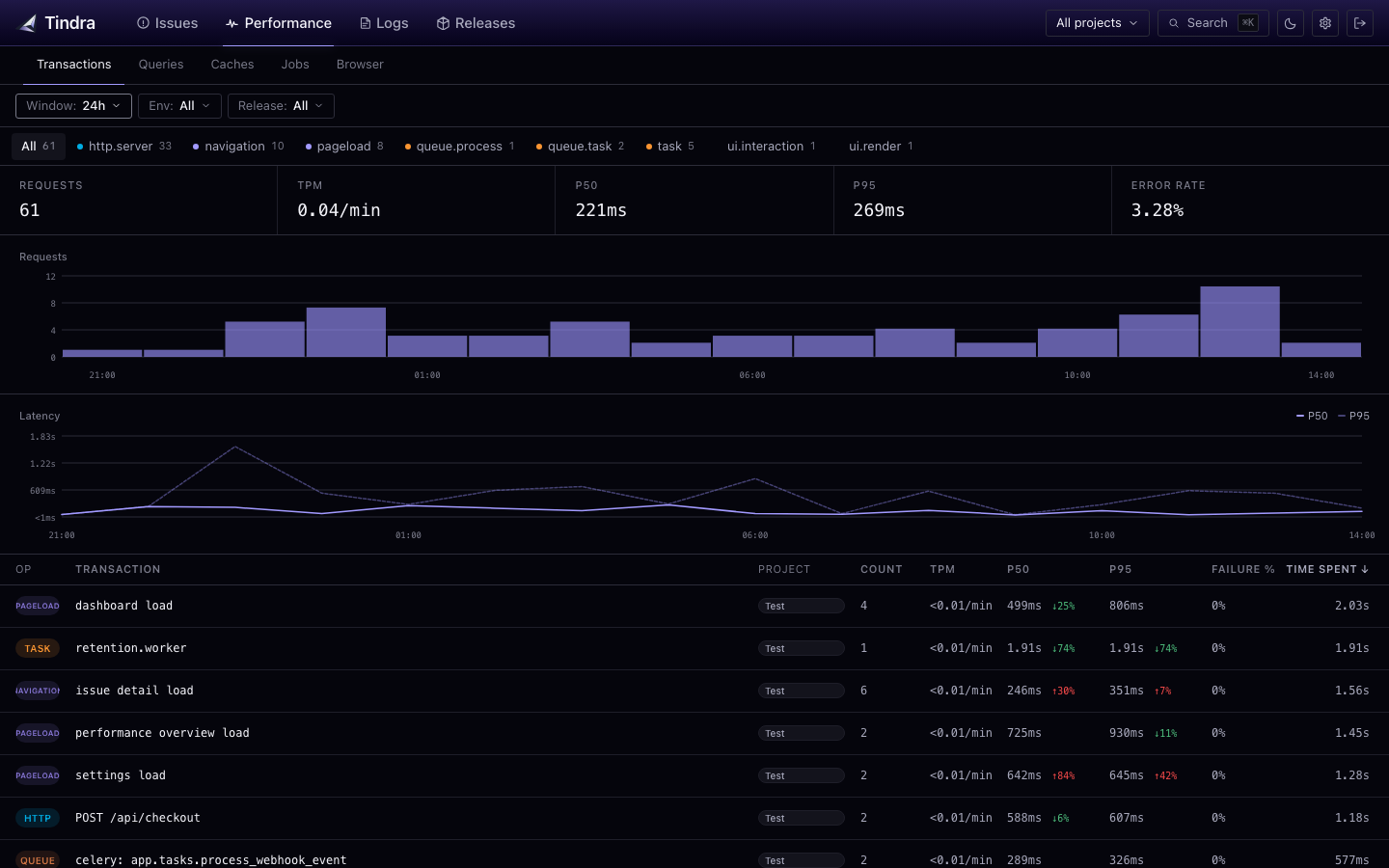 View endpoint performance overview →
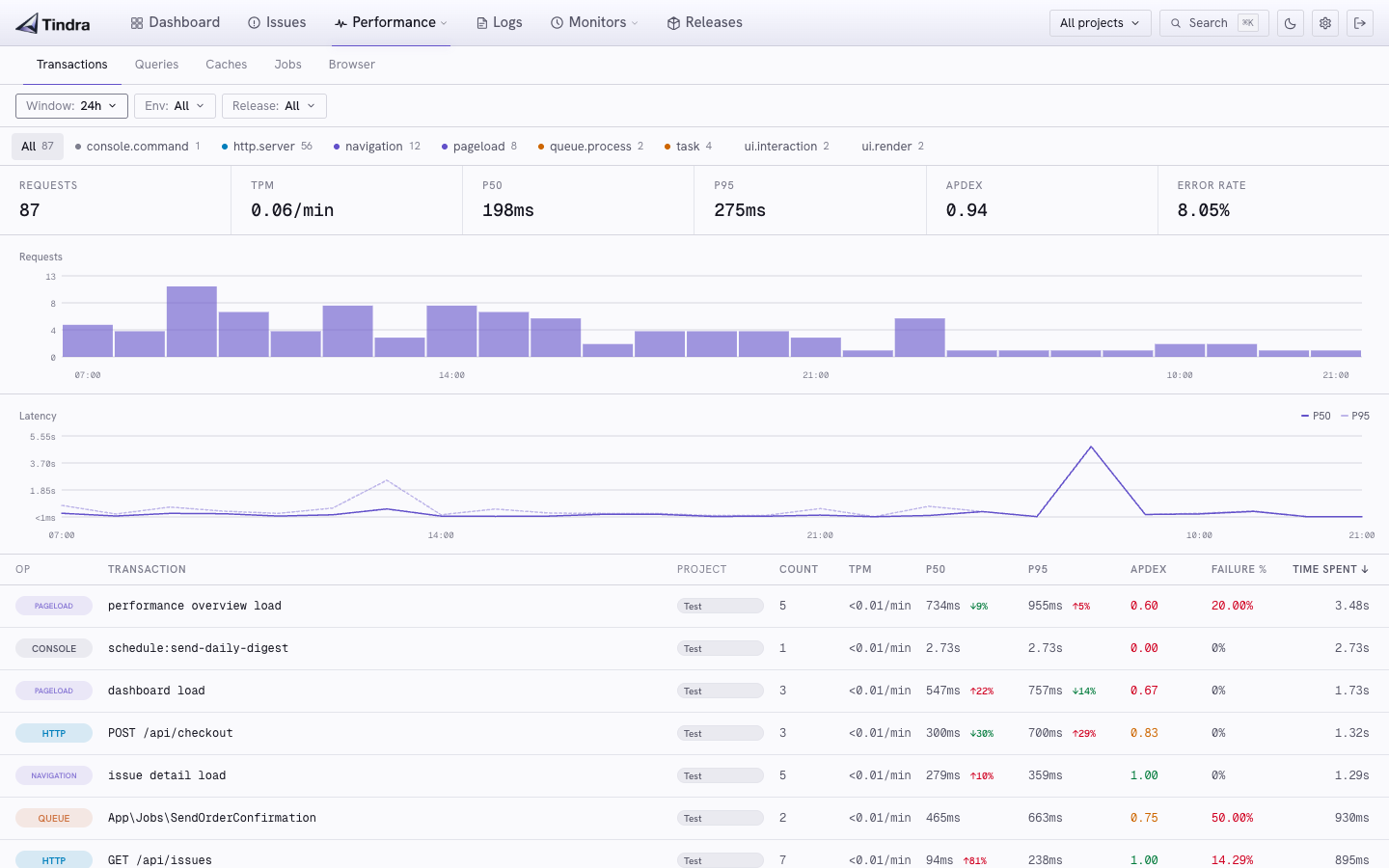 View endpoint performance overview →
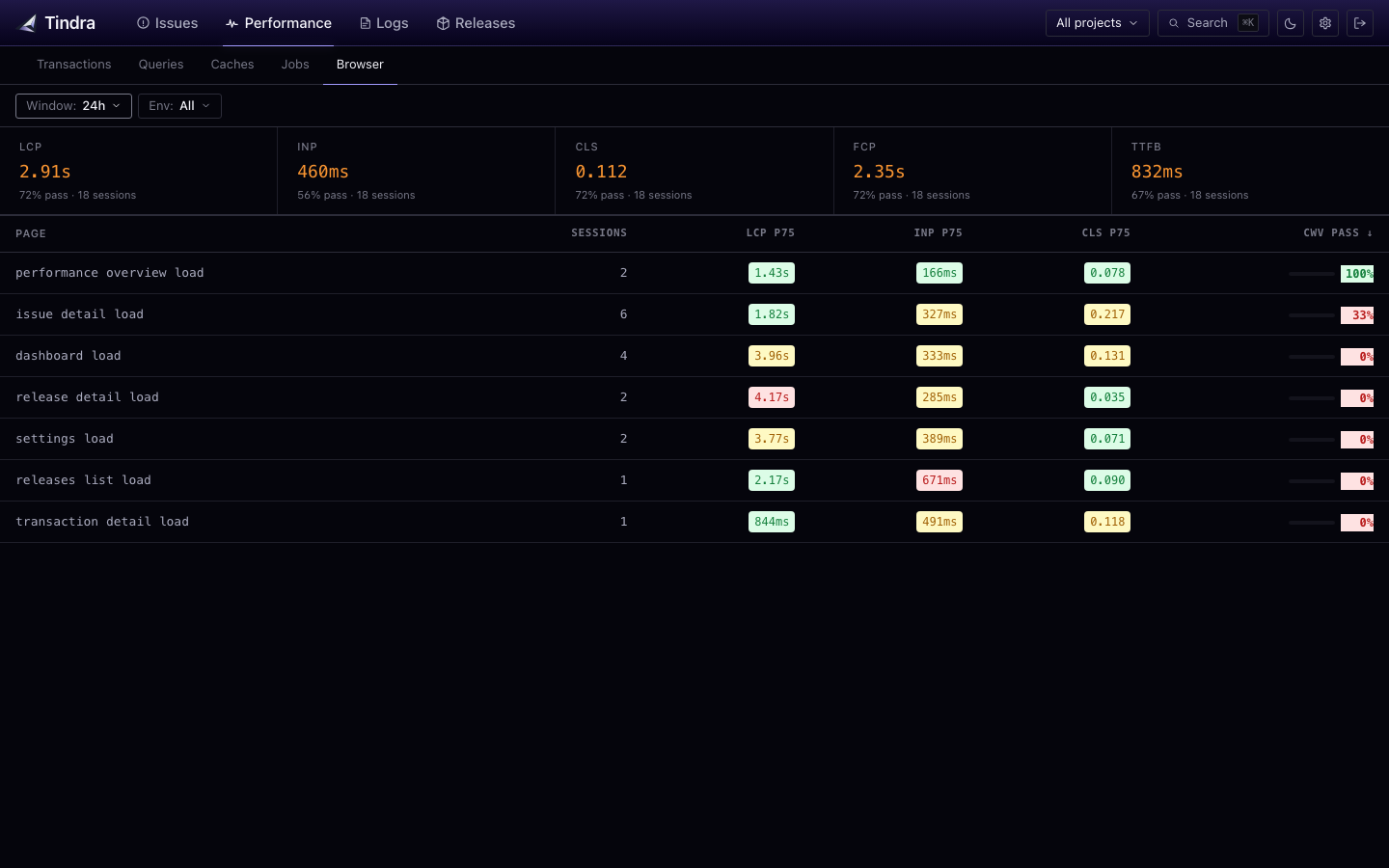 View Web Vitals →
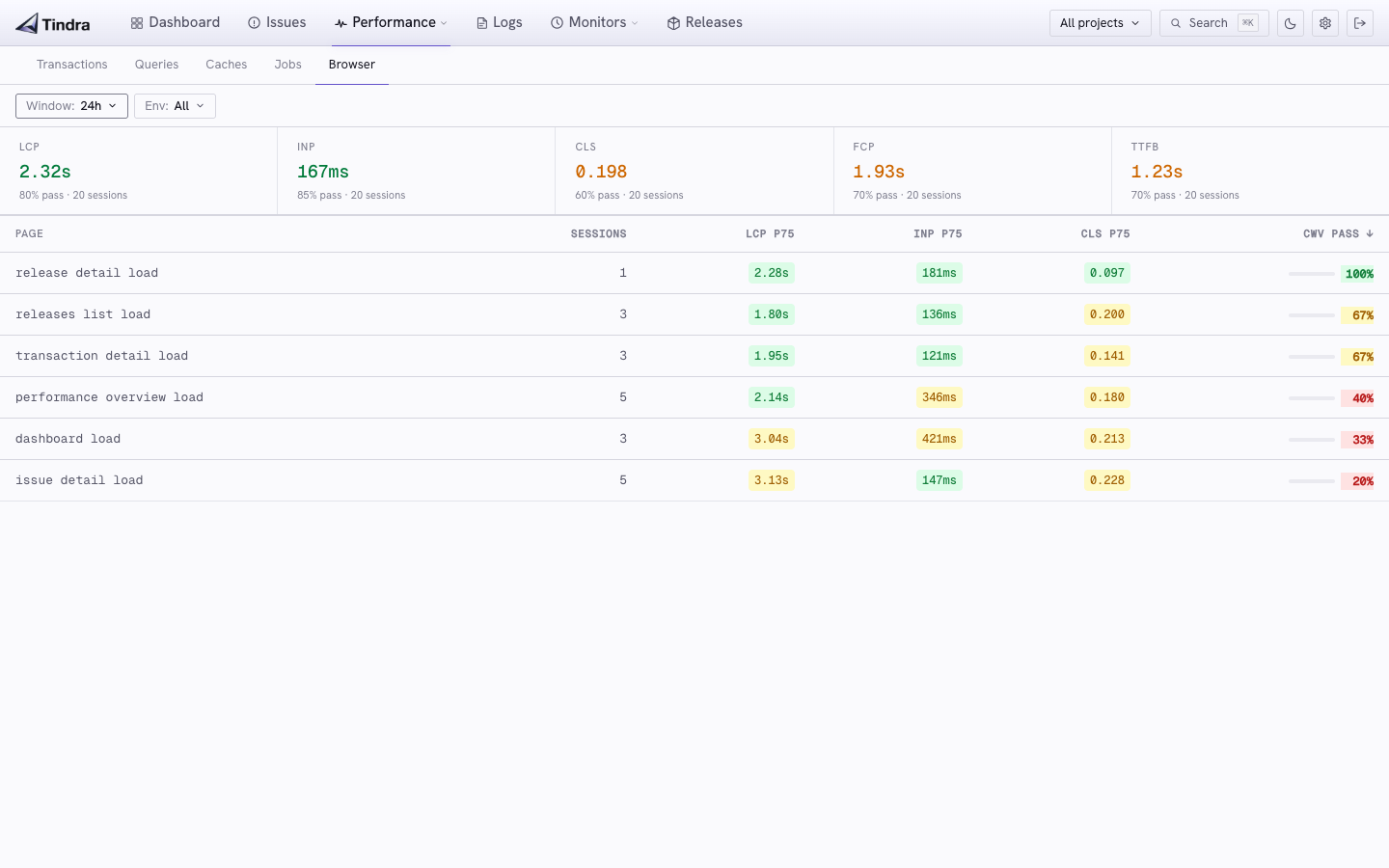 View Web Vitals →
The waterfall says which query. The flame graph says which function.
Spans only show you what you instrumented. When a span is slow for no obvious reason, the answer is usually in code nobody wrapped in a tracer. Turn on your SDK's profiler and Tindra folds the samples into a flame graph, rendered right under the waterfall on the same page.
- Both wire formats: transaction-based profiles and continuous profiling chunks. Tindra slices the right window out of a continuous session automatically
- Self vs total time per frame, so you can tell "this function is slow" from "this call path is slow"
- Click to zoom into any frame, breadcrumb or Esc to walk back out
- Search frames to dim everything that does not match, keeping hits in the context of their stack
- Honest milliseconds: the sample interval is measured from the samples themselves, not assumed from the SDK's nominal rate
- App and library frames colored differently, idle samples reported separately instead of faked into the tree
- Folded server side: the browser gets a tree of a few hundred nodes, not megabytes of raw samples
- Frame metadata scrubbed through your project's PII patterns before it is stored. Absolute paths included
- Per-project kill switch: stop accepting profiles from a noisy service with one checkbox, no SDK redeploy
- Profiles are not events. They never count against your monthly quota
Profiles are much bigger than events, so they get their own short retention window and an instance-wide storage budget instead of following your event retention. Set it once and forget it: oldest profiles roll off, nothing else is touched.
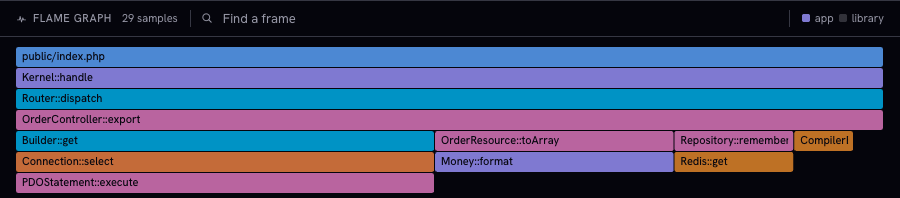
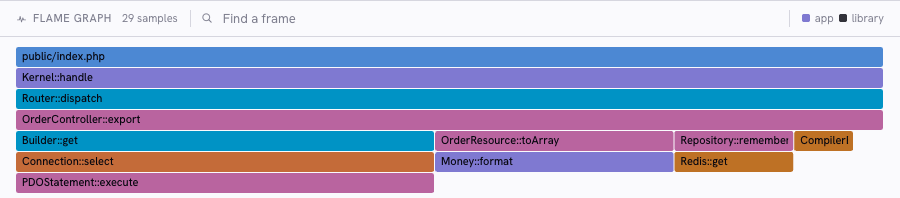
Profiling works with supported PHP / Laravel, Python, Node.js, browser, and Ruby SDKs. Check the profiler and setup requirements for your SDK.
Every deploy is a data point.
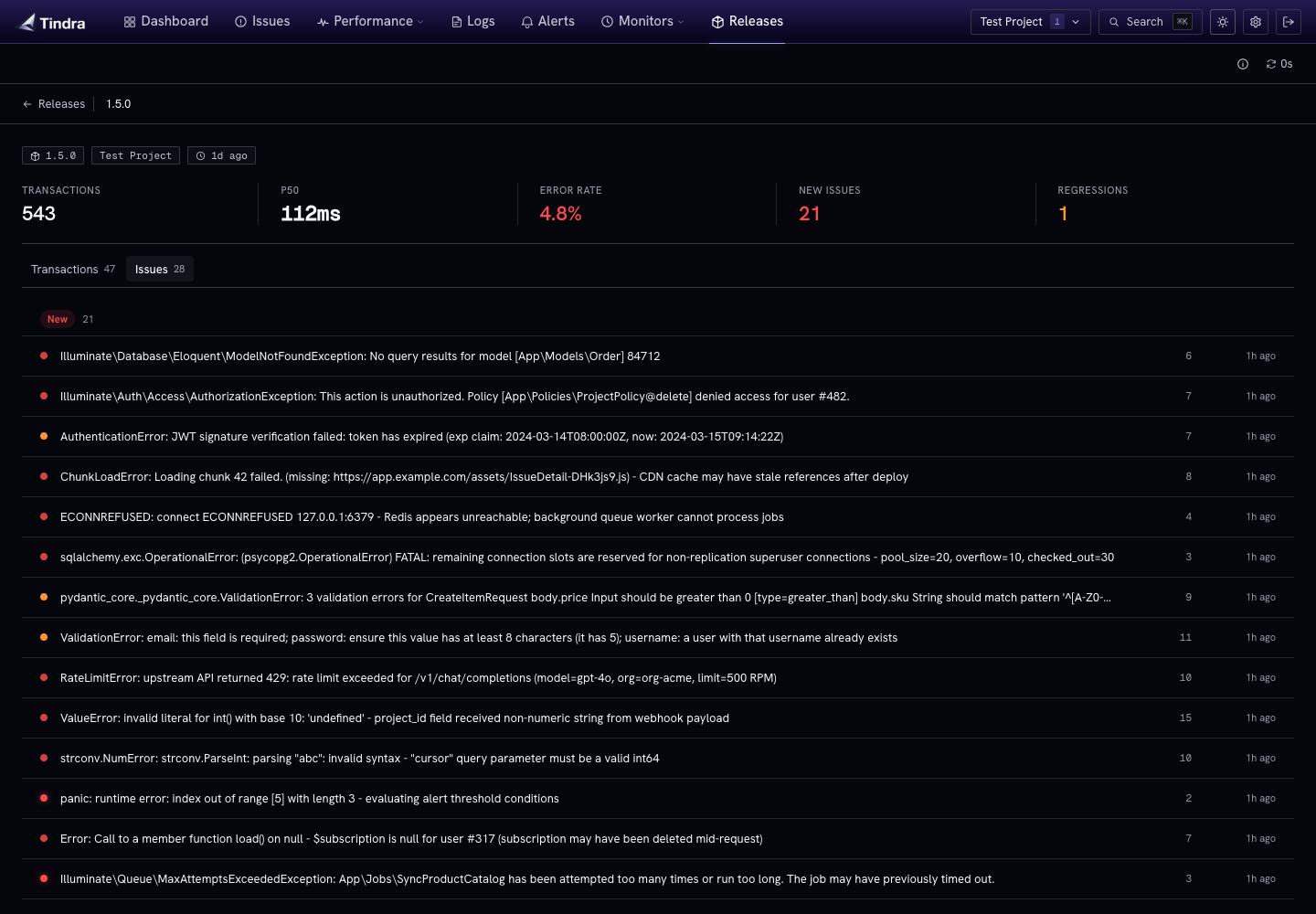
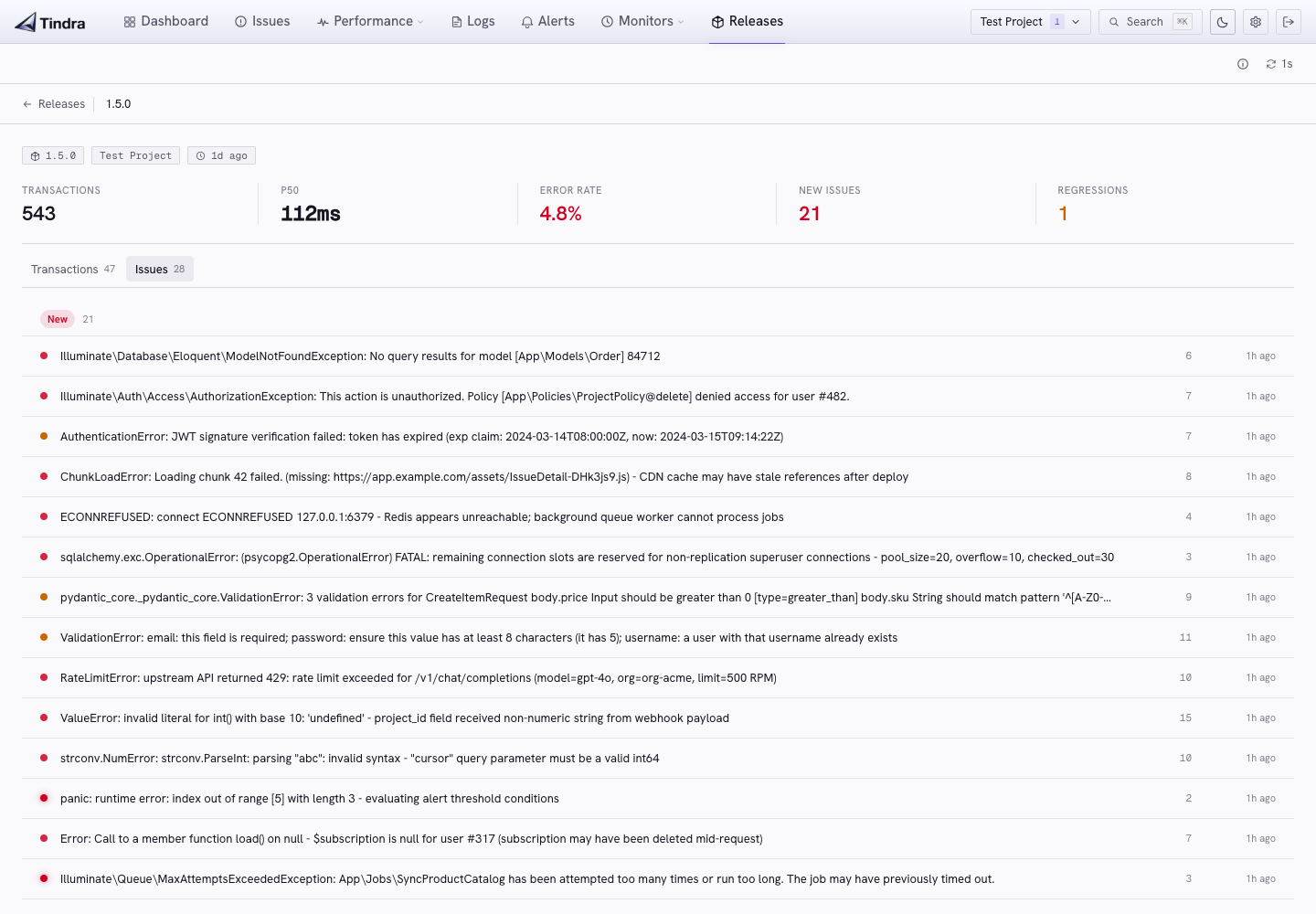
Tindra tracks releases automatically from the SDK's release tag. No manual setup. After a deploy, you can filter the issue list and transaction list to that release and immediately see what changed.
If something that was resolved in v1.4.2 reappears in v1.4.3, Tindra marks it regressed and surfaces it. Useful for catching the inevitable "fixed it in staging, broke it in prod."
- Auto-created from SDK release tags: no API call needed to register a release
- Per-release issue view showing every error that appeared in that deploy
- Per-release transaction view with performance stats filtered to that release
- Source map uploads scoped per release so the right map is applied to the right version
- Regression linking connects a regressed issue back to the release where it reappeared
Know when jobs miss and services go down.
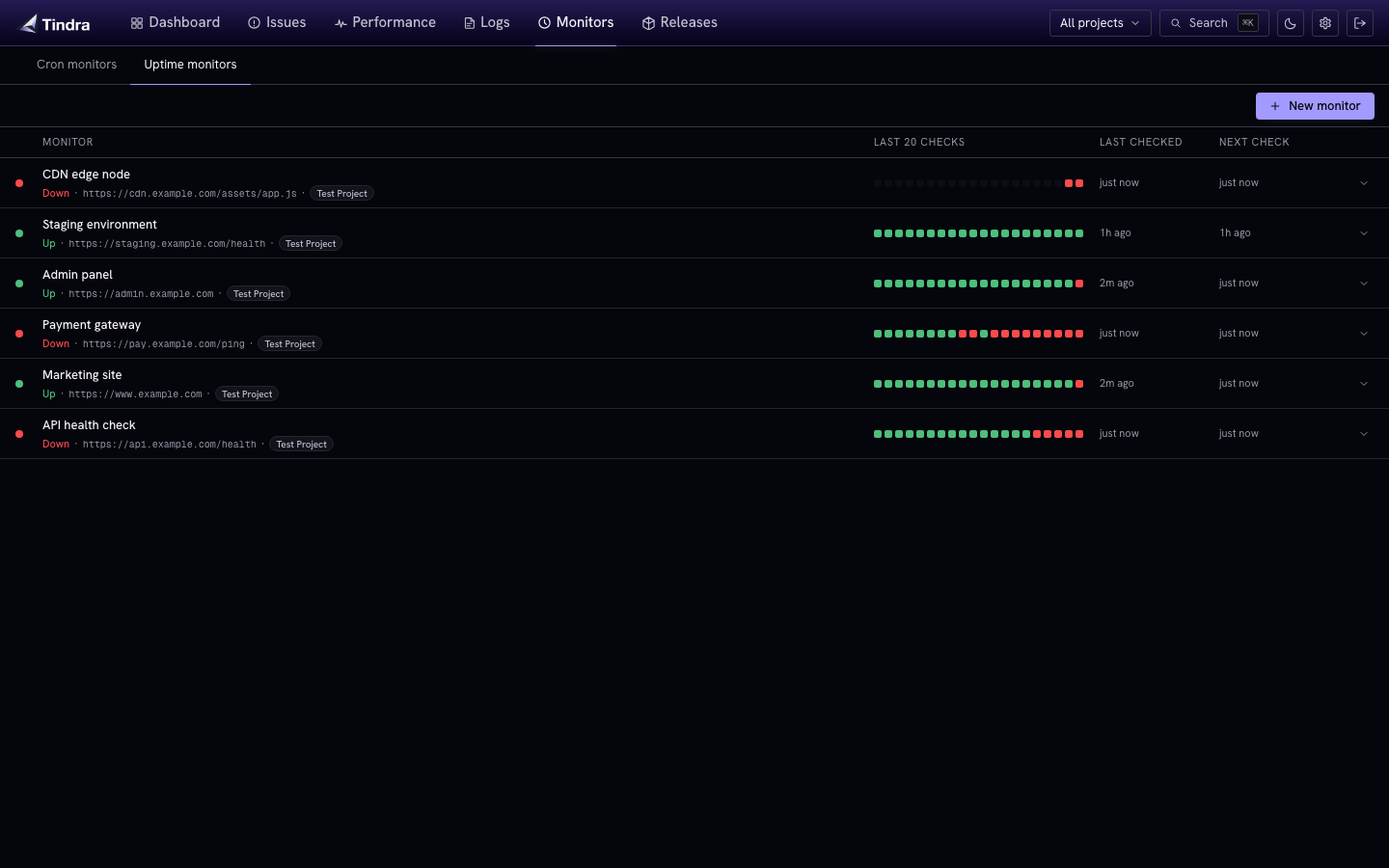
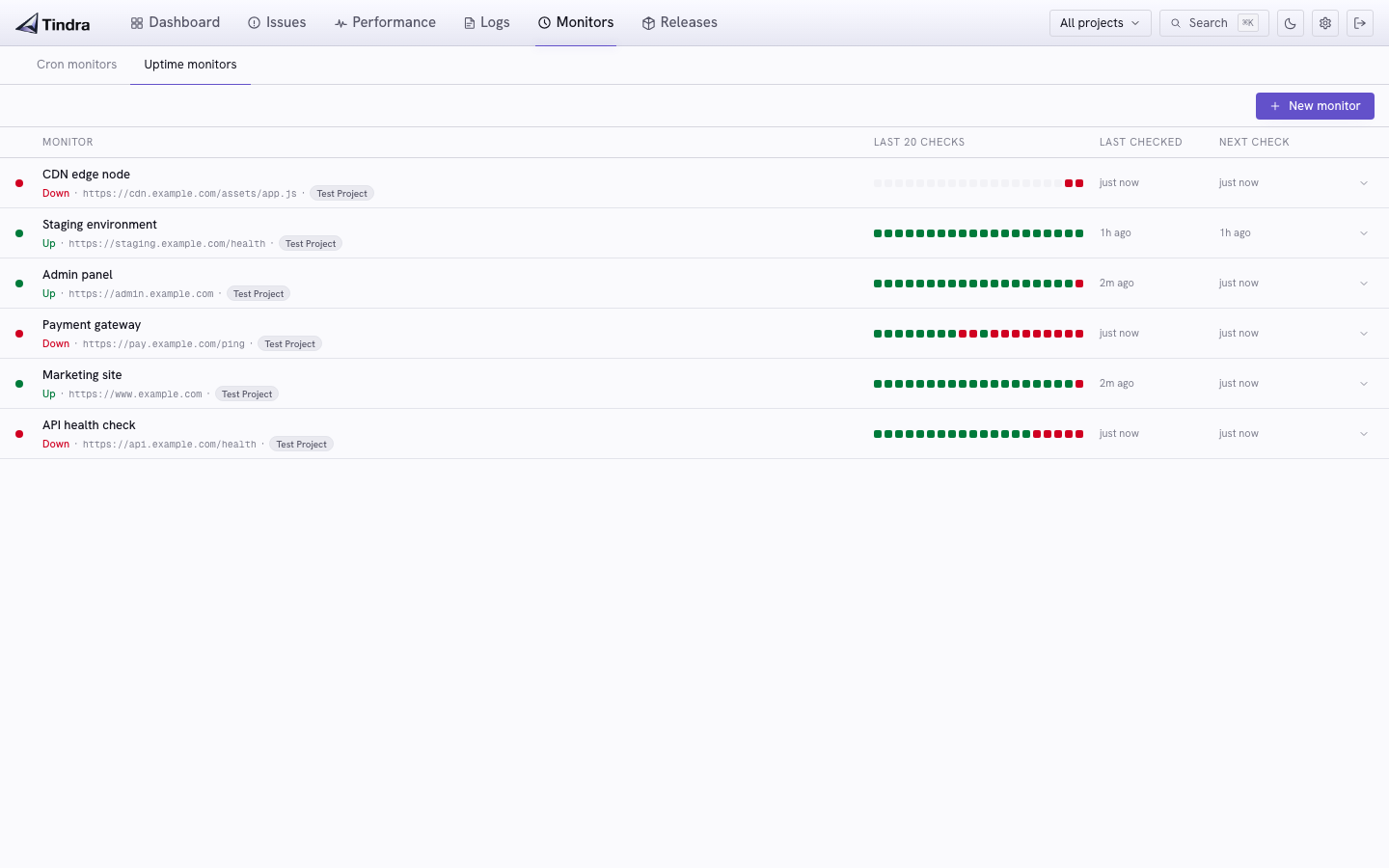
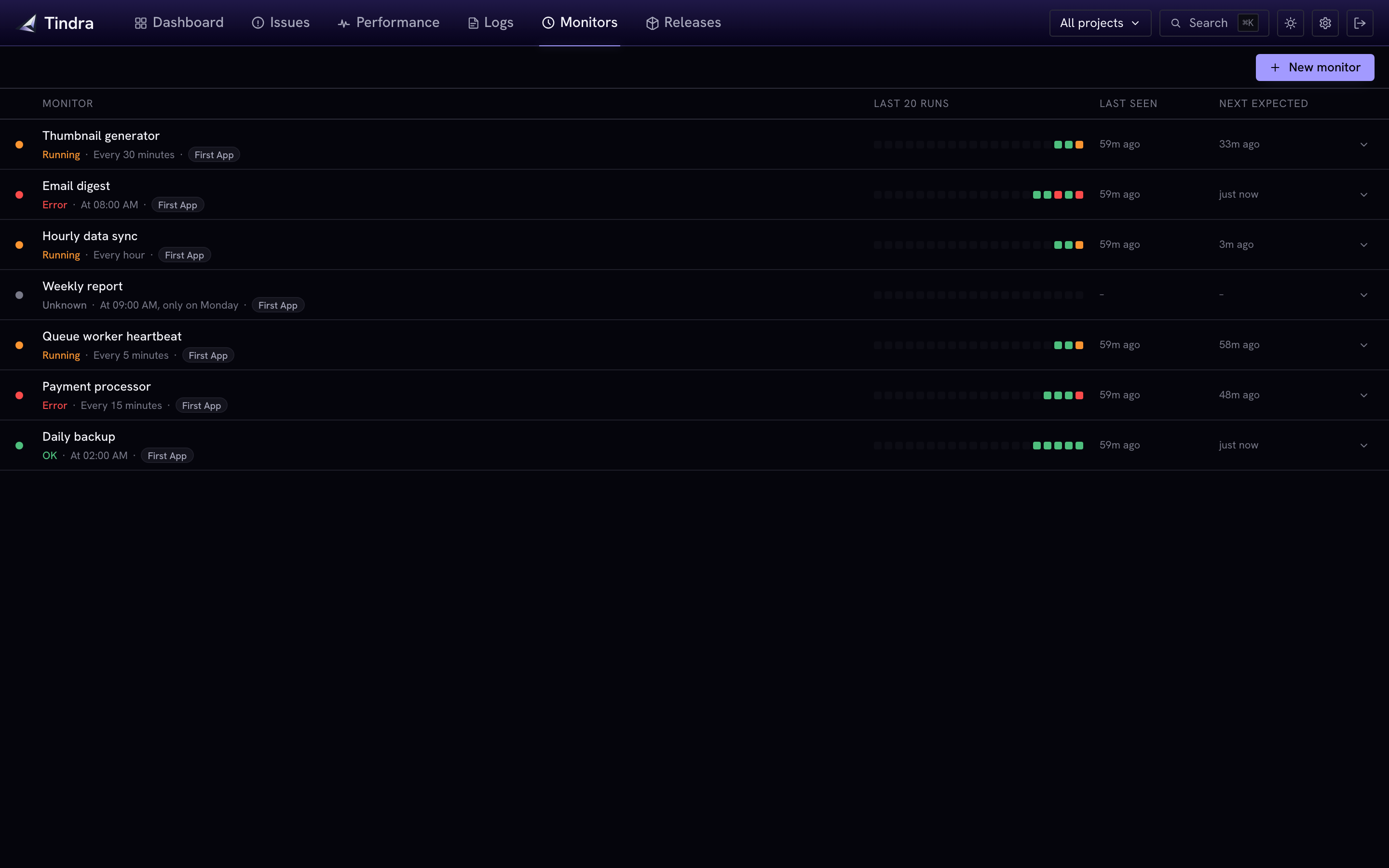
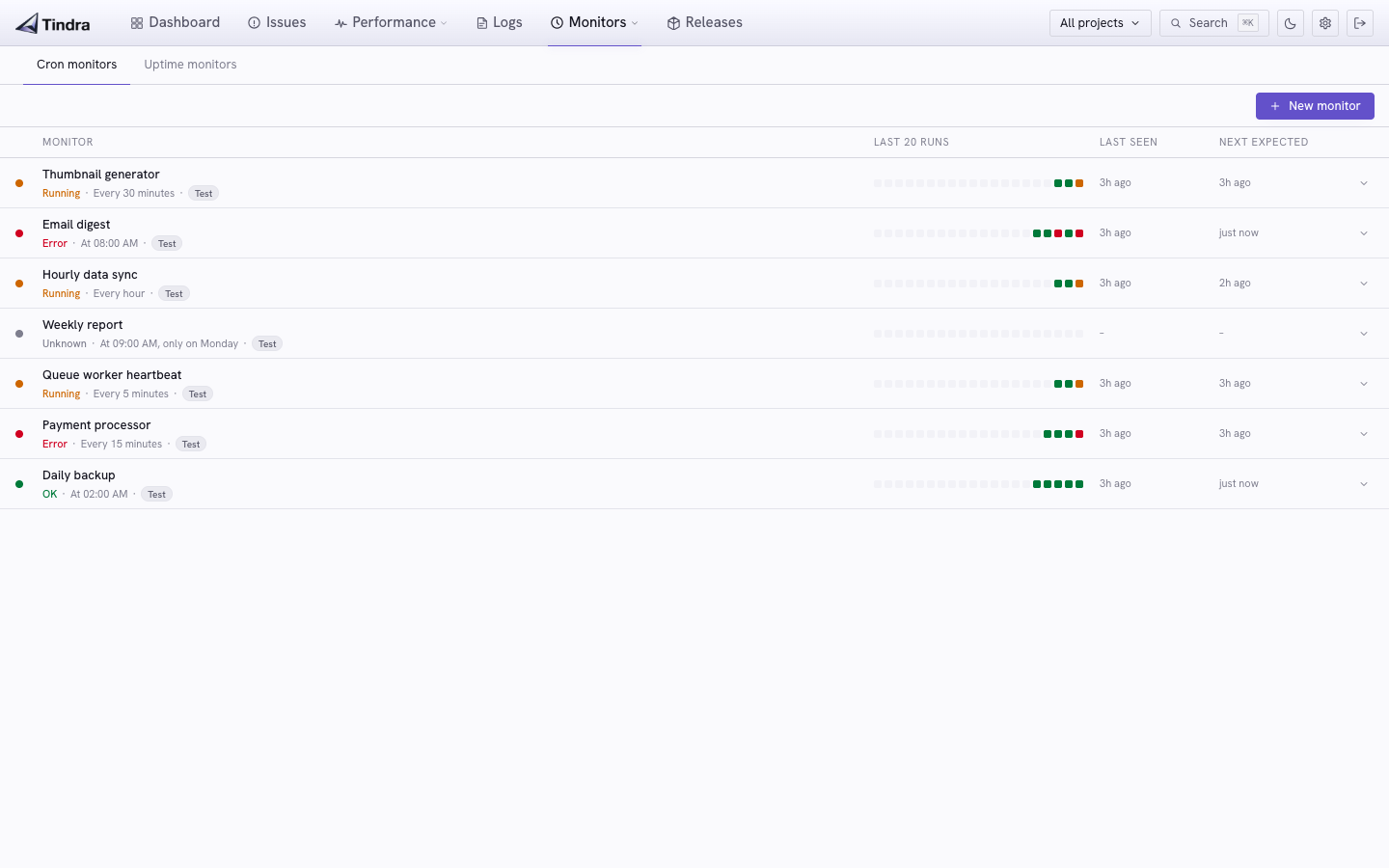
Tindra monitors two things: scheduled jobs that should run on a cron schedule, and HTTP/HTTPS endpoints that should always be up. Both feed into the same alert rules and notification channels.
Cron monitors
- Cron expression schedules with human-readable summaries and next expected run time
- Configurable grace period before a late job is marked as missed
- Multiple protocols: simple GET/POST ping URL, Sentry Crons SDK, or Spatie Laravel Schedule Monitor
- Check-in history showing the last 20 runs with status, duration, and environment
- Pause during deployments to suppress missed alerts during planned maintenance
Uptime monitors
- HTTP and HTTPS probes every 30 seconds, up to 20 concurrent
- Configurable timeout, interval, and expected status codes (ranges and lists supported)
- Body content check to confirm a string is present in the response
- State machine: goes down after 2 consecutive failures, recovers on the first success
- Uptime checks excluded from your monthly event quota
 View cron monitors and recent runs →
 View cron monitors and recent runs →
Get notified when something breaks. Not on every event.
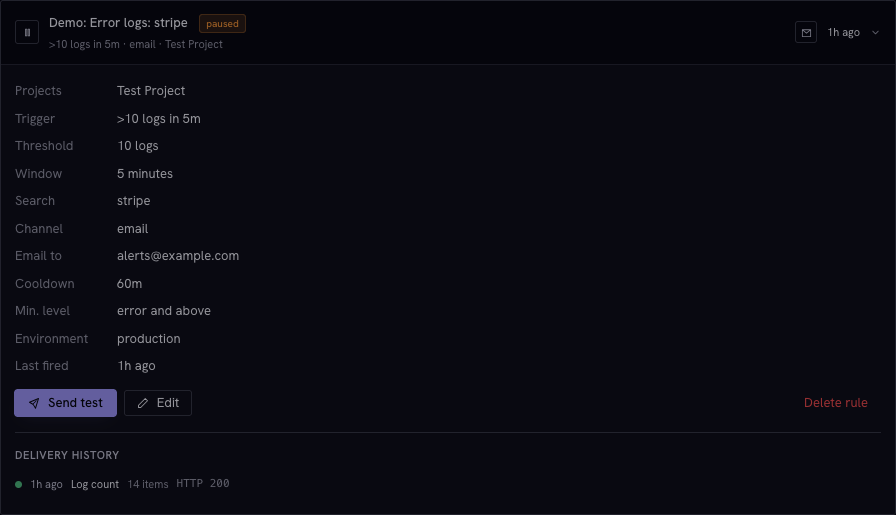
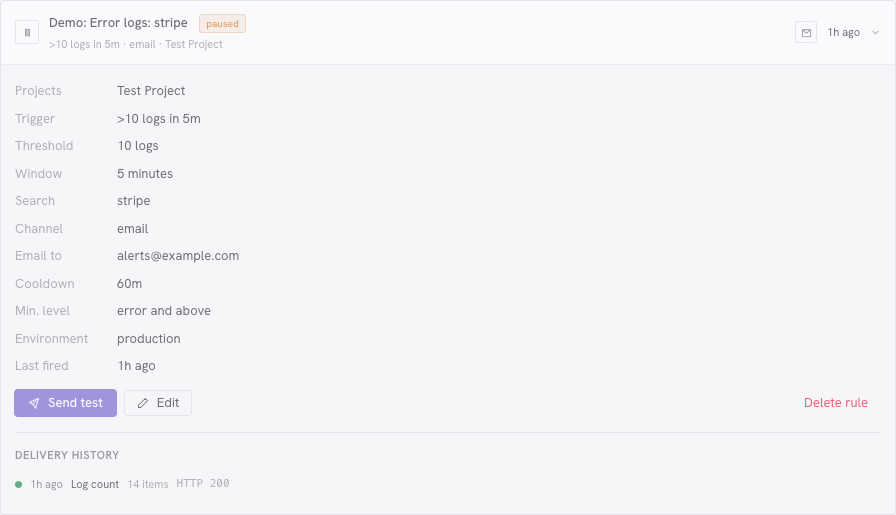
Tindra sends alerts on conditions that matter: a new issue, a regression, an error rate spike, or a cron job that stopped running. Not a flood of identical notifications for each occurrence.
- Global rules for issues and monitors, with project selection when you need a narrower scope
- New issue alerts when a unique fingerprint appears for the first time
- Regression alerts when a resolved or ignored issue comes back
- Rate alerts when error count reaches a threshold in a rolling window
- Log count alerts when matching log volume in selected projects reaches a threshold, including Alert on this from the log viewer
- Email via any supported provider (SMTP, Postmark, Brevo, and more)
- Slack, Discord, and Microsoft Teams: paste your incoming webhook URL and alerts post directly to any channel
- Webhook with a structured JSON payload posted to your configured HTTP(S) endpoint
- Cron missed and cron error conditions for scheduled job alerts
- Uptime down and uptime recovered conditions for HTTP monitor alerts
- Per-rule cooldown to avoid repeat notifications during an ongoing incident
- Delivery history: every alert firing is logged with status, trigger, and item count
- Automatic webhook retry: failed deliveries retry at 2 minutes and 10 minutes before giving up
Keep your SDK and verify that your app is connected.
Point your Sentry SDK at the project’s Tindra DSN, then run a fresh setup check. The setup page confirms when the matching test event is stored and links to it once processing finishes.
Check transactions and profiles separately, with guidance when optional data has not arrived. For JavaScript, verify an error from the built app to confirm that uploaded maps resolve its actual stack frames.
- Guided connection checks with a project DSN, tagged test, and storage confirmation
- Familiar SDKs for PHP, Laravel, Go, Python, JavaScript, Ruby, and more
- Source-map verification showing the release, matching bundle URL, and resolved original location
- Optional tracing and profiling where supported by your SDK
- Passthrough DSN for best-effort comparison with another service during migration
Connect and verify your app, then upload and verify source maps.


Supported SDKs
SSO, MFA, audit log, and fine-grained permissions.
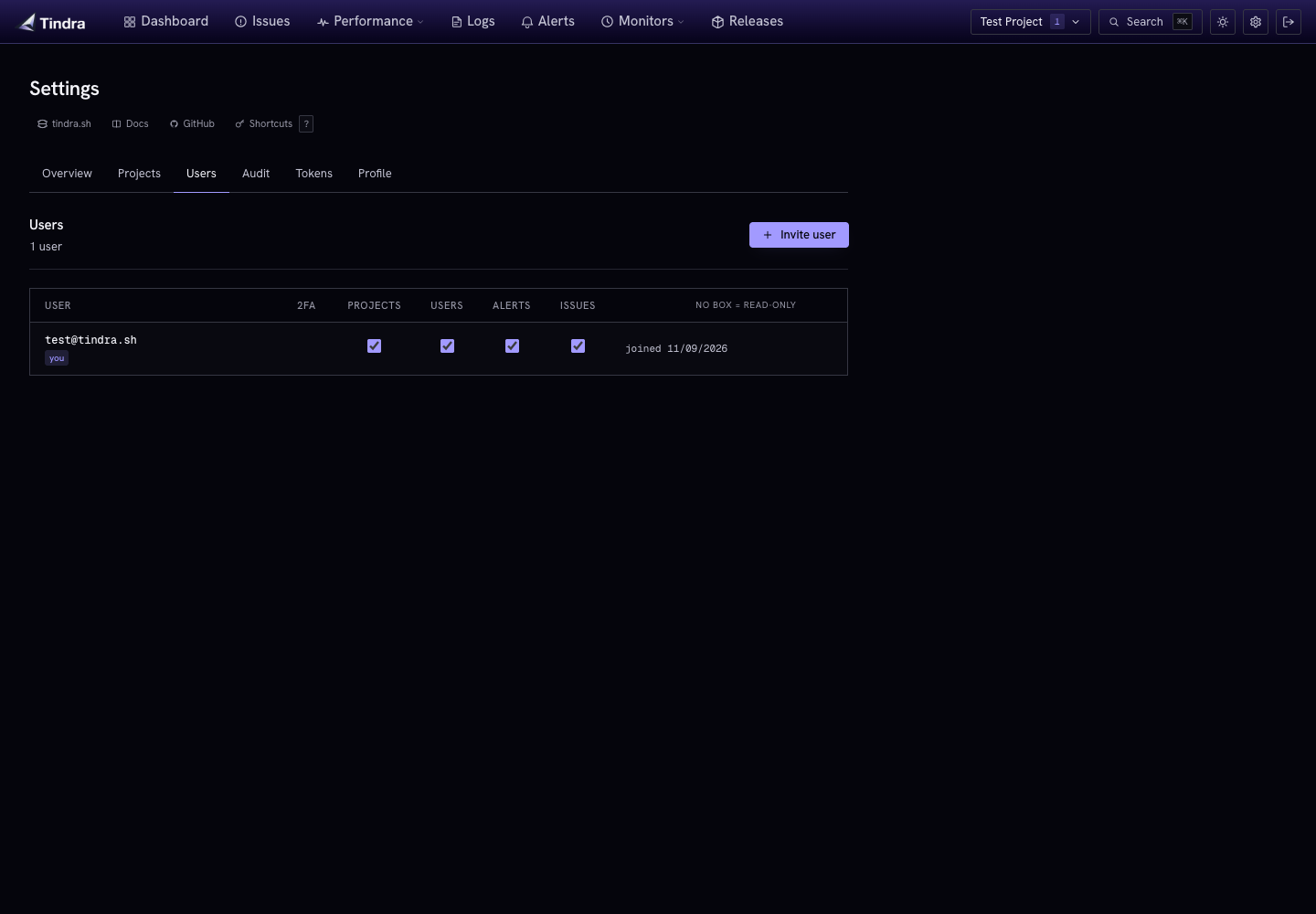
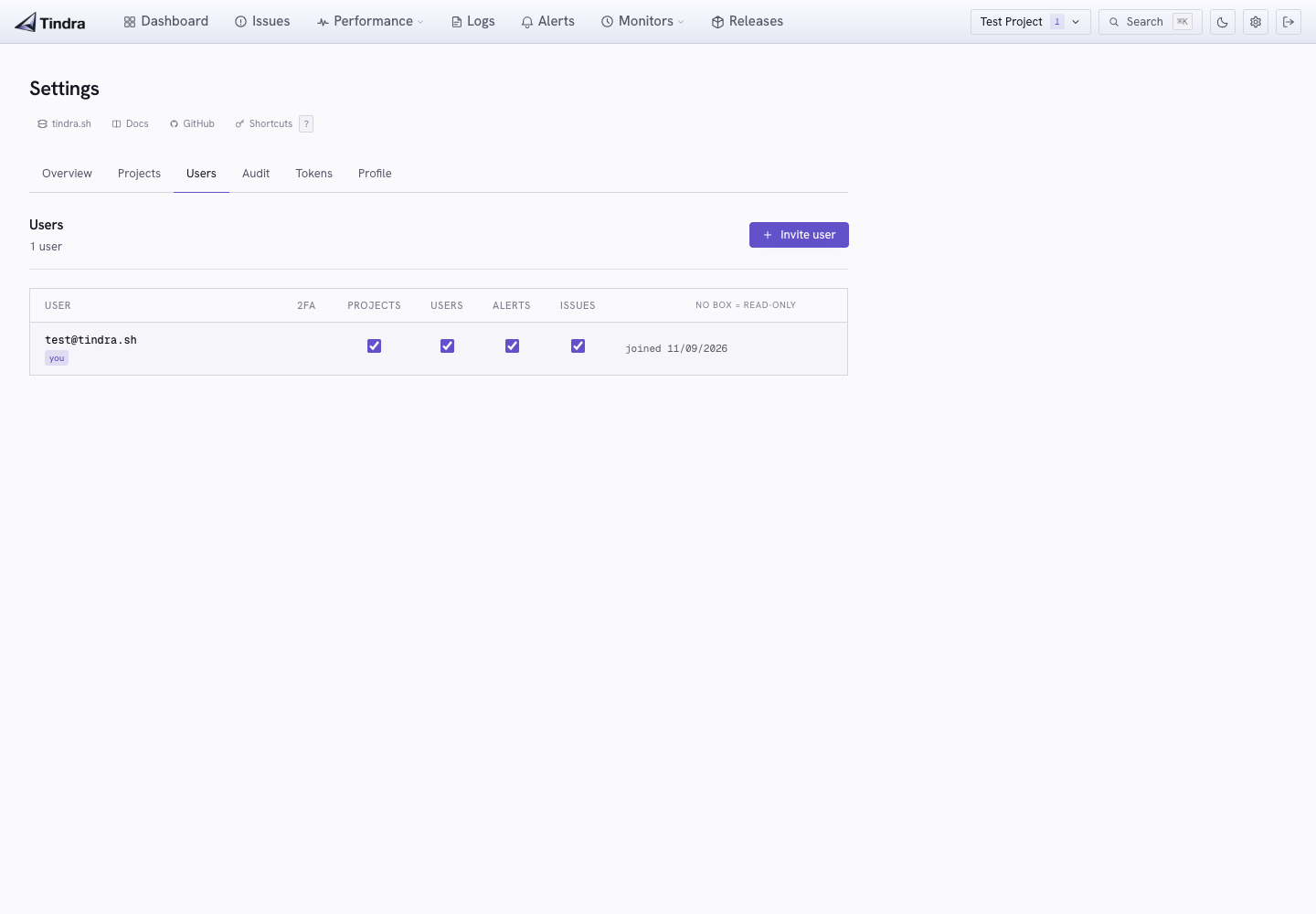
Tindra ships with the access controls a real team needs. OIDC-based SSO works with compatible identity providers. TOTP MFA is built in, including for SSO login. Permissions keep people out of things they shouldn't touch.
- SSO: native GitHub, Google, Microsoft, Auth0, Zitadel, and any OIDC-compliant provider. New users join by invitation with a verified provider email; administrators can explicitly link existing accounts when needed
- TOTP MFA enforced by default: users enroll a local authenticator before accessing the app and verify it after password or SSO login. No third-party service needed. Enrollment can be made optional
- Fine-grained permissions: separate controls for managing projects, issues, alerts, and users
- API tokens: per-project bearer tokens, read-only by default. Enable write access for supported project mutations via the MCP server or API; instance administration still requires user permissions
- Audit log: structured log of every auth, user, project, token, alert, and issue action with actor IP and timestamp
- Rate limiting: per-IP on login, per-project on event ingest
- Session security: HttpOnly session cookies, secure cookies for HTTPS deployments, and revocation of old sessions when passwords change
Query your entire stack from any AI assistant.
Tindra ships a built-in MCP server on POST /mcp. Connect Claude,
Cursor, Windsurf, or any MCP-compatible tool and ask about open issues, slow
endpoints, cron health, and recent logs without leaving the tool you're already in.
Authenticate with a per-project API token. Write access is opt-in: read-only tokens support investigation within their project, while writable tokens allow supported actions.
- Complete event context: inspect stack frames, breadcrumbs, request data, and older occurrences before deciding what to change
- 12 read tools: overview summary, issues, transactions, span data, monitors, releases, alert rules, logs, transaction waterfalls, and issue events
- 3 write tools: update issue status or assignee, bulk update issues, create alert rules
- Project-scoped: each token is tied to one project. All queries return data for that project automatically
- Read-only by default: tokens cannot mutate anything unless write access is explicitly enabled at creation
- Works with any MCP client: Claude Desktop, Cursor, Windsurf, and any tool that supports Streamable HTTP
- Built in, no config needed: the MCP server is part of the Tindra binary and available on every instance
$ claude mcp add --transport http tindra \
    https://acme.tindra.sh/mcp \
    --header "Authorization: Bearer tindra_…"
Choose what your application stores, project by project.
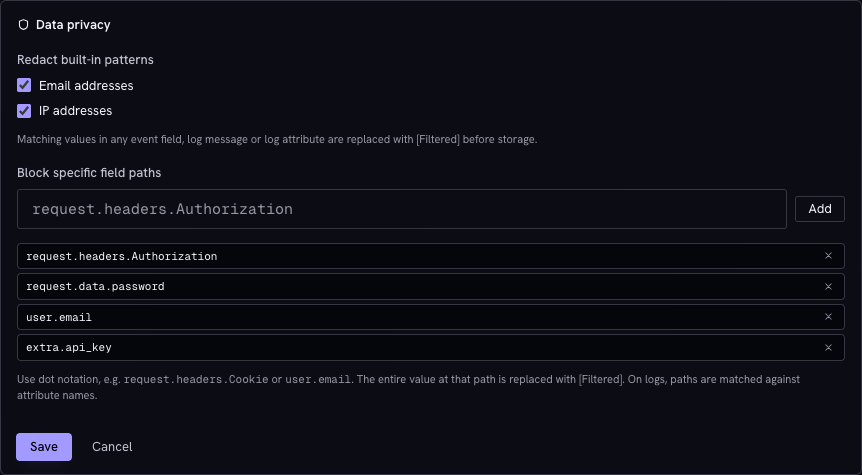
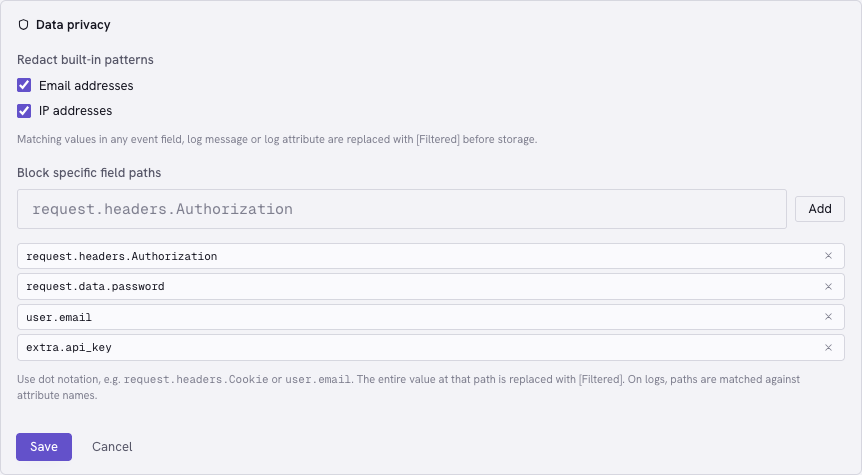
Set field-path and pattern rules for each project before ingesting sensitive data. Tindra applies them to supported fields in errors, transactions, logs, and profiles, so you can keep useful context while reducing what you retain.
- Exact field paths for request headers, structured data, and user identity fields
- Built-in patterns for email and IPv4 addresses, enabled per project
- Signal-specific coverage including log bodies and attributes, span data, and profile frame metadata
- Explicit configuration through each project’s Data privacy settings
Rules apply to new ingestion. Forwarded passthrough content and source text added during enrichment have separate behavior. Read the privacy coverage.
One binary and a Postgres. Or we run it for you.
The entire Tindra server is a single statically-compiled Go binary. Connect it to a Postgres database and you have the full stack. No sidecar processes, no object storage, no message broker.
- One Docker image, one Postgres, a handful of env vars to configure
- Upgrades: automatic startup migrations and graceful draining, with a documented backup and upgrade workflow
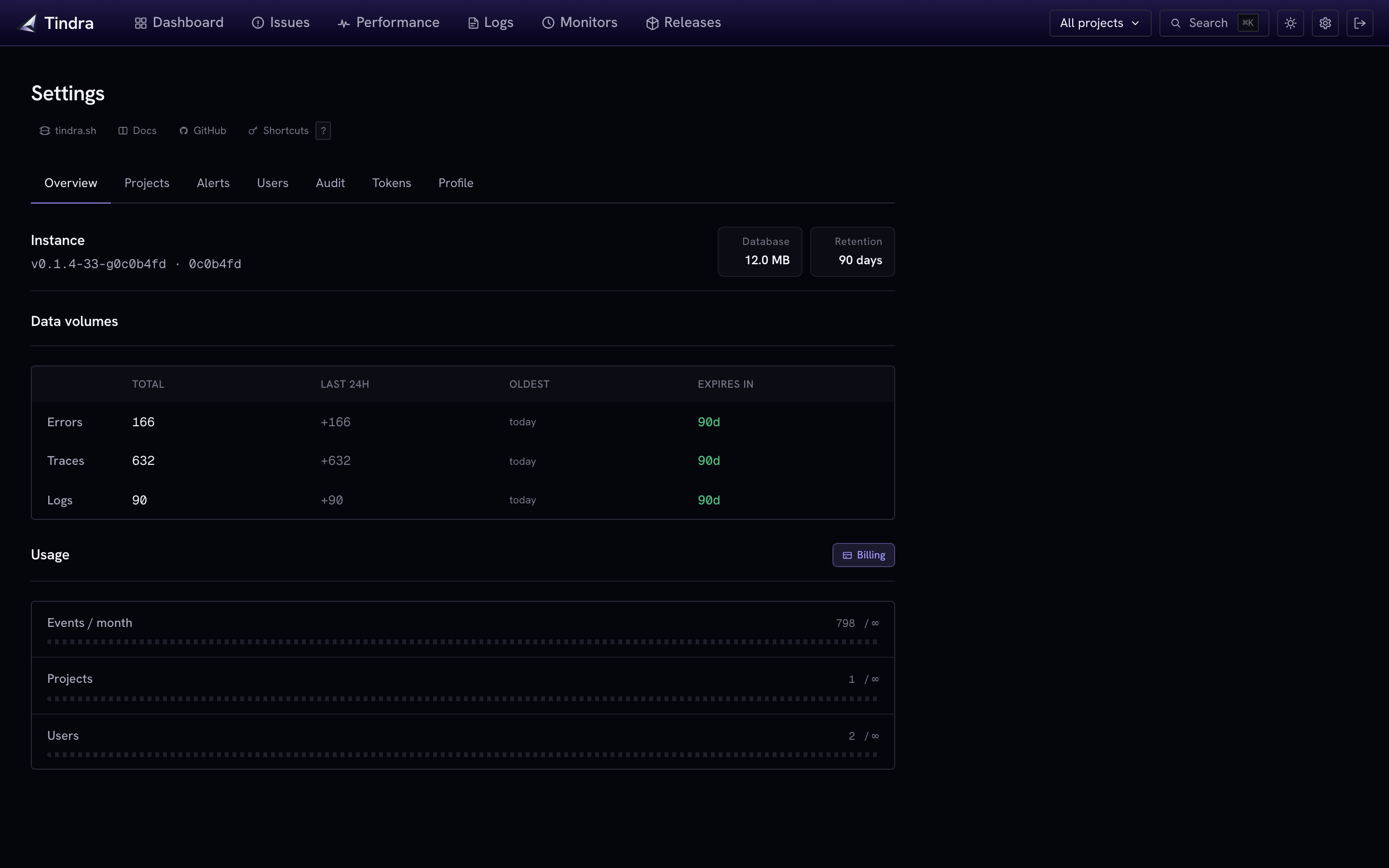
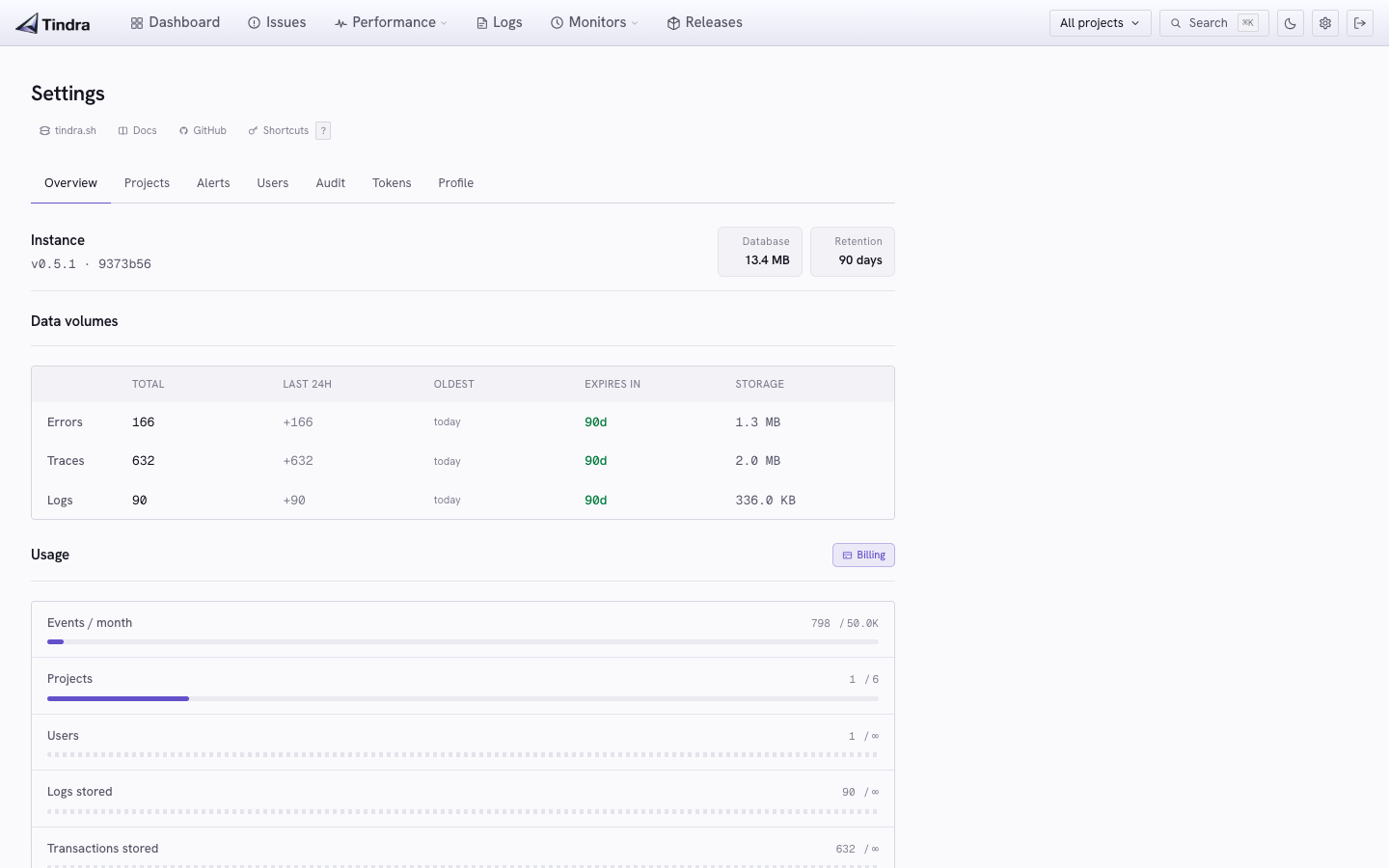
- Retention: configurable telemetry retention, with separate profile budgets and row caps
- Health overview: storage, recent data volumes, retention, and usage gauges in Settings
- Ingestion monitoring: authenticated Prometheus metrics for pending data, write failures, and recovery
- License: Elastic License 2.0. Free to use, source available on GitHub
Self-host Tindra and monitor ingestion health.
Managed instances are dedicated per customer: your own container, your own Postgres, hosted in the EU. Upgrades, backups, and the pager are on us.
- Dedicated container and Postgres per customer, never shared
- EU-only: all data stays in the EU, never replicated outside
- Nightly encrypted backups with 14-day point-in-time recovery
- Live in minutes, no infrastructure to provision
| Language | Go (single static binary) |
|---|---|
| Storage | Postgres 12+ |
| RAM (minimum) | 512 MB |
| Config | Environment variables |
| Upgrades | Pull new image, restart |
| License | Elastic License 2.0 (ELv2) |
 View storage and retention overview →
 View storage and retention overview →
Try it. Self-hosted or managed.
Pull the Docker image and you are running in minutes. Or start a managed trial and have your own instance ready before your coffee is done.