

Cron Monitors
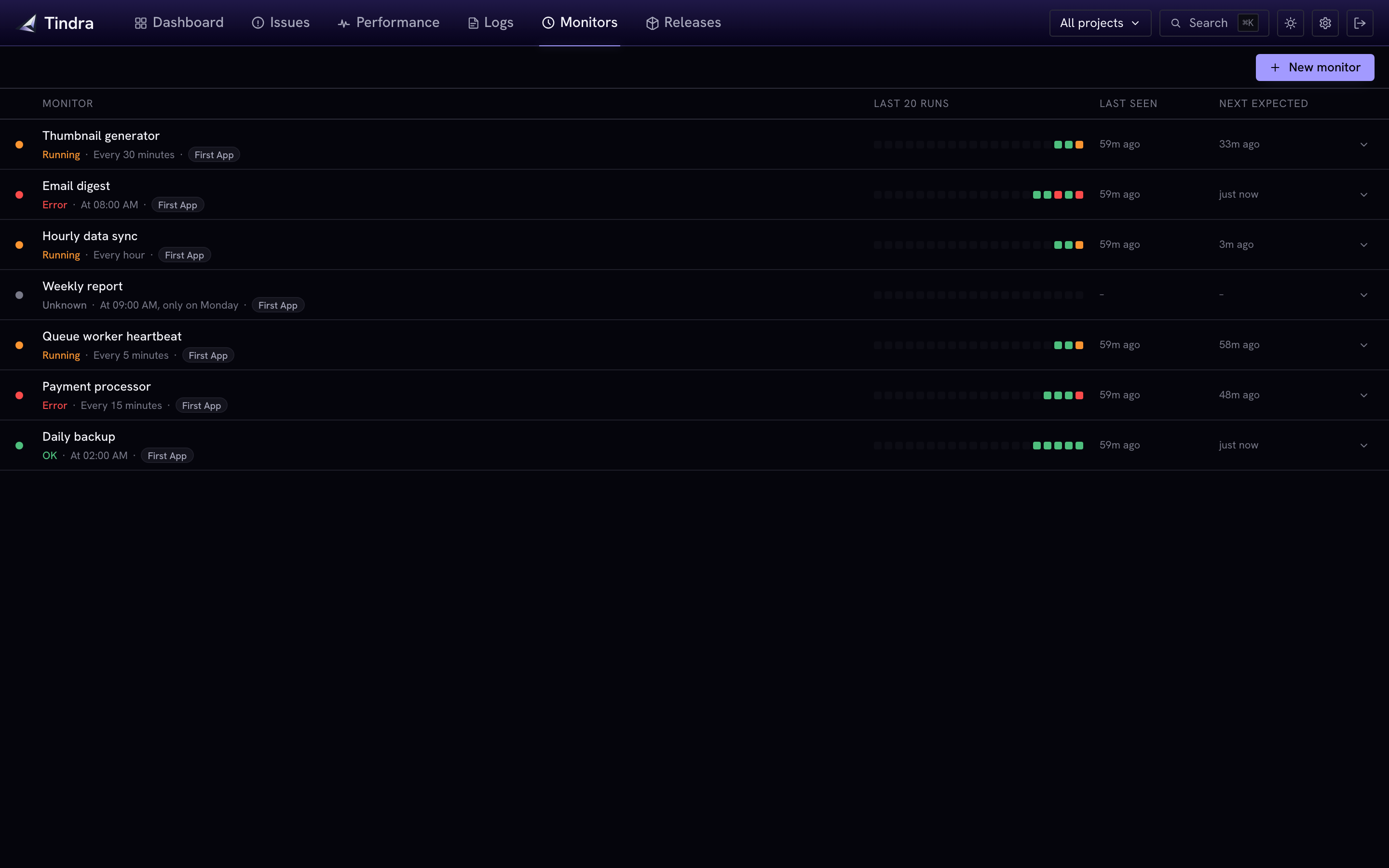
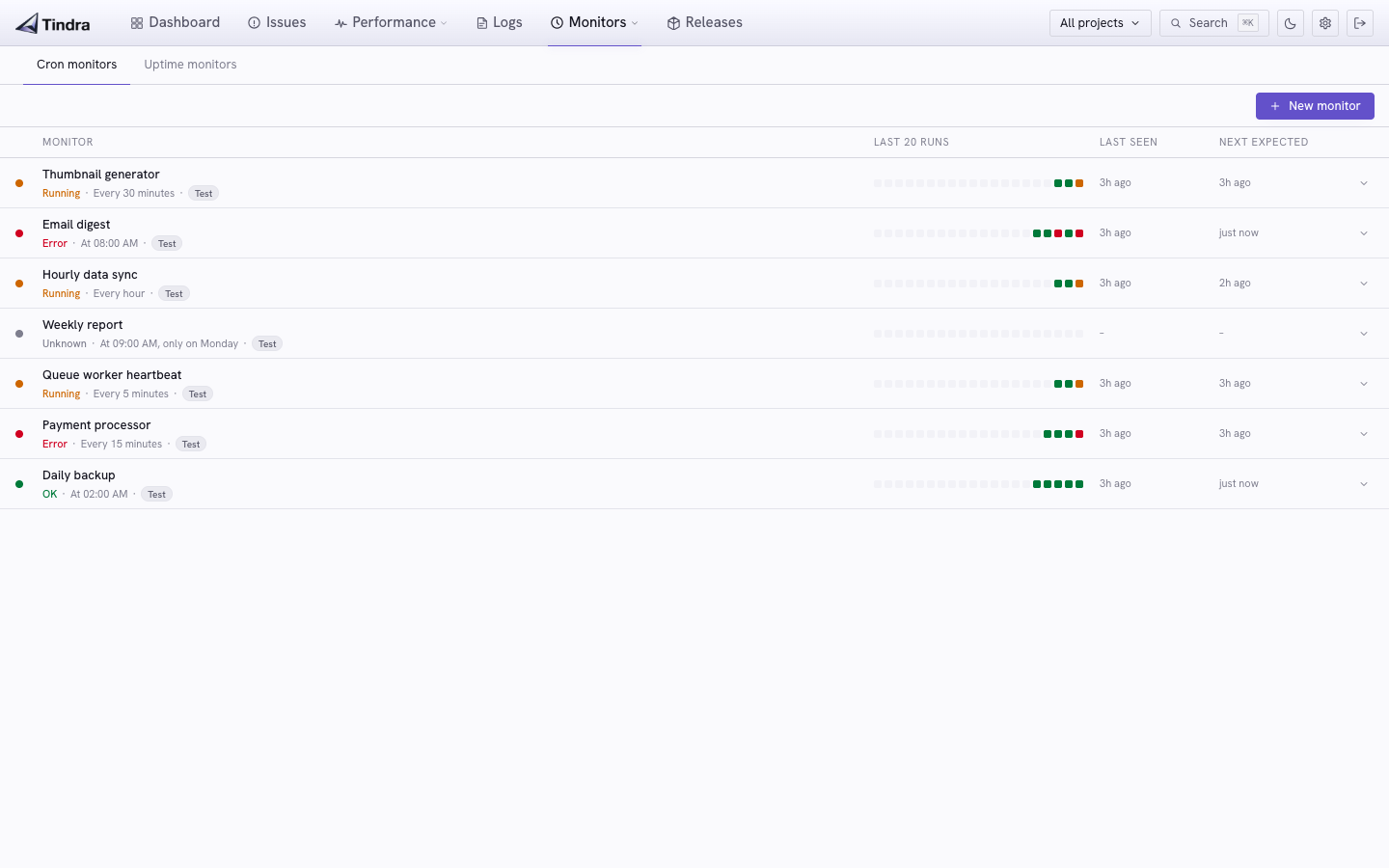
Cron monitors let you track whether your scheduled jobs and recurring tasks are actually running. Create a monitor, ping it from your cron job, and Tindra alerts you when a job is late, fails, or stops running entirely.
Investigation scope
Monitors show current state, the latest checks, and explicitly labeled uptime windows. Shared investigation time and environment filters do not apply, although your context is retained when you return to telemetry views. Monitor lists refresh every 60 seconds while automatic refresh is active. See Shared Filters.
Creating a monitor
Go to Monitors in the sidebar and click New Monitor.
| Field | Description |
|---|---|
| Name | A human-readable label for the job |
| Schedule | A cron expression (e.g., 0 3 * * * for 3 AM daily) |
| Grace period | Seconds after the expected time before marking as missed (default: 300) |
| Project | Which project this monitor belongs to |
Tindra parses the cron expression and shows a human-readable summary ("Every day at 03:00") alongside the next expected execution time.
Pinging the monitor
After creating a monitor, copy the ping URL from the monitor detail page. Several check-in protocols are supported.
Simple ping (GET or POST)
The simplest integration. Call the URL when your job runs:
# Signal success
curl https://acme.tindra.sh/api/cron/{monitorID}?status=ok

# Signal failure
curl https://acme.tindra.sh/api/cron/{monitorID}?status=error

# Include duration in milliseconds
curl "https://acme.tindra.sh/api/cron/{monitorID}?status=ok&duration=4200"
Works with any language, any scheduler. Add it to your crontab:
0 3 * * * /usr/local/bin/backup.sh && curl -s "https://acme.tindra.sh/api/cron/your-monitor-id?status=ok" || curl -s "https://acme.tindra.sh/api/cron/your-monitor-id?status=error"
Sentry Crons SDK
If you're using the Sentry SDK with cron monitoring support, point the DSN at Tindra and it works without changes:
# Python example
with sentry_sdk.monitor(monitor_slug='my-monitor'):
    run_my_job()
// PHP example
$checkIn = Sentry\captureCheckIn(
    slug: 'my-monitor',
    status: Sentry\CheckInStatus::inProgress(),
);

run_my_job();

Sentry\captureCheckIn(
    slug: 'my-monitor',
    status: Sentry\CheckInStatus::ok(),
    checkInId: $checkIn,
);
Correlated SDK check-ins
When the SDK sends the same check_in_id for an in_progress check-in and its ok or error completion, Tindra updates one run with completion metadata and duration when supplied. Reuse the ID returned by the start call; sending a different ID describes another run. The initial receipt time stays attached to the run.
Cron-error alerts use completion time, falling back to receipt time for older terminal records. A job that started before the last alert evaluation can therefore still trigger an error alert when it finishes afterward.
Spatie Laravel Schedule Monitor / Oh Dear
The Spatie laravel-schedule-monitor package and Oh Dear's monitoring protocol are compatible out of the box. Set the ping URL to:
https://acme.tindra.sh/api/cron/{monitorID}
The /starting, /finished, and /failed sub-paths are all handled.
Monitor states
| State | Meaning |
|---|---|
| ok | Last check-in completed successfully |
| in_progress | Job started but hasn't finished yet |
| missed | No check-in received within the grace period after the expected time |
| error | Job reported a failure through its ping or SDK check-in |
| unknown | No check-ins received yet |
Check-in history
The monitor detail page shows the last 20 check-ins as a visual timeline. Each entry shows status, duration (if provided), environment, and timestamp.
History retention
Completed check-ins follow RETENTION_DAYS, using completion time or receipt time for legacy records. Running check-ins and monitor summaries are preserved, so a monitor can retain its current status after older history expires. Cleanup runs at startup and periodically afterward; RETENTION_DAYS=0 disables this age cleanup but leaves independent telemetry row/profile limits in effect. See Configuration.
Alerts
Cron monitors integrate with alert rules. Add a Cron missed or Cron error condition to an existing rule to get notified via email, Slack, Discord, Microsoft Teams, or webhook when a job goes wrong.
Pausing a monitor
If you're deploying and want to suppress missed alerts during a maintenance window, pause the monitor from the detail page. Tindra will not fire alerts while a monitor is paused, and incoming check-ins during that period are ignored.