

Transactions
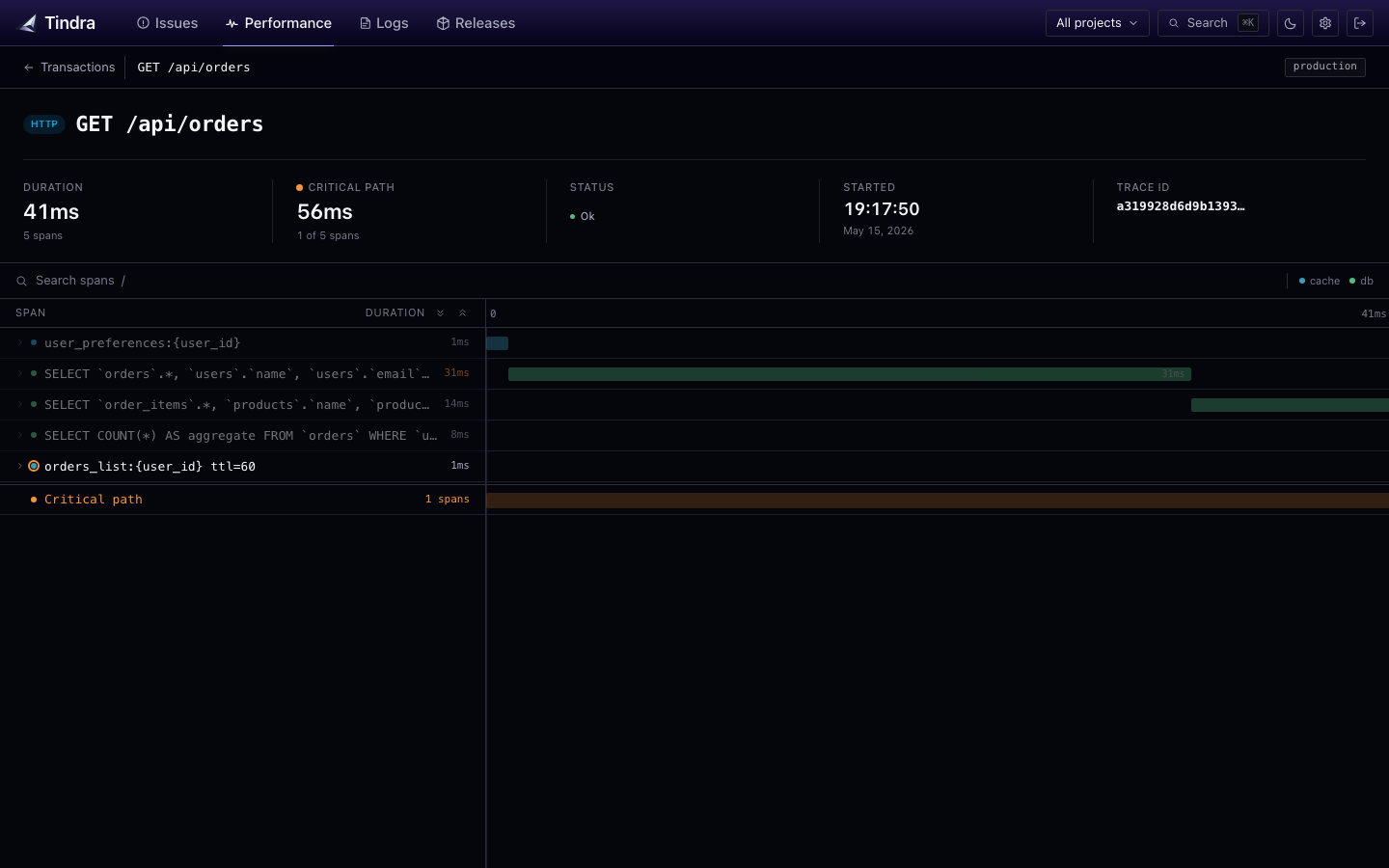
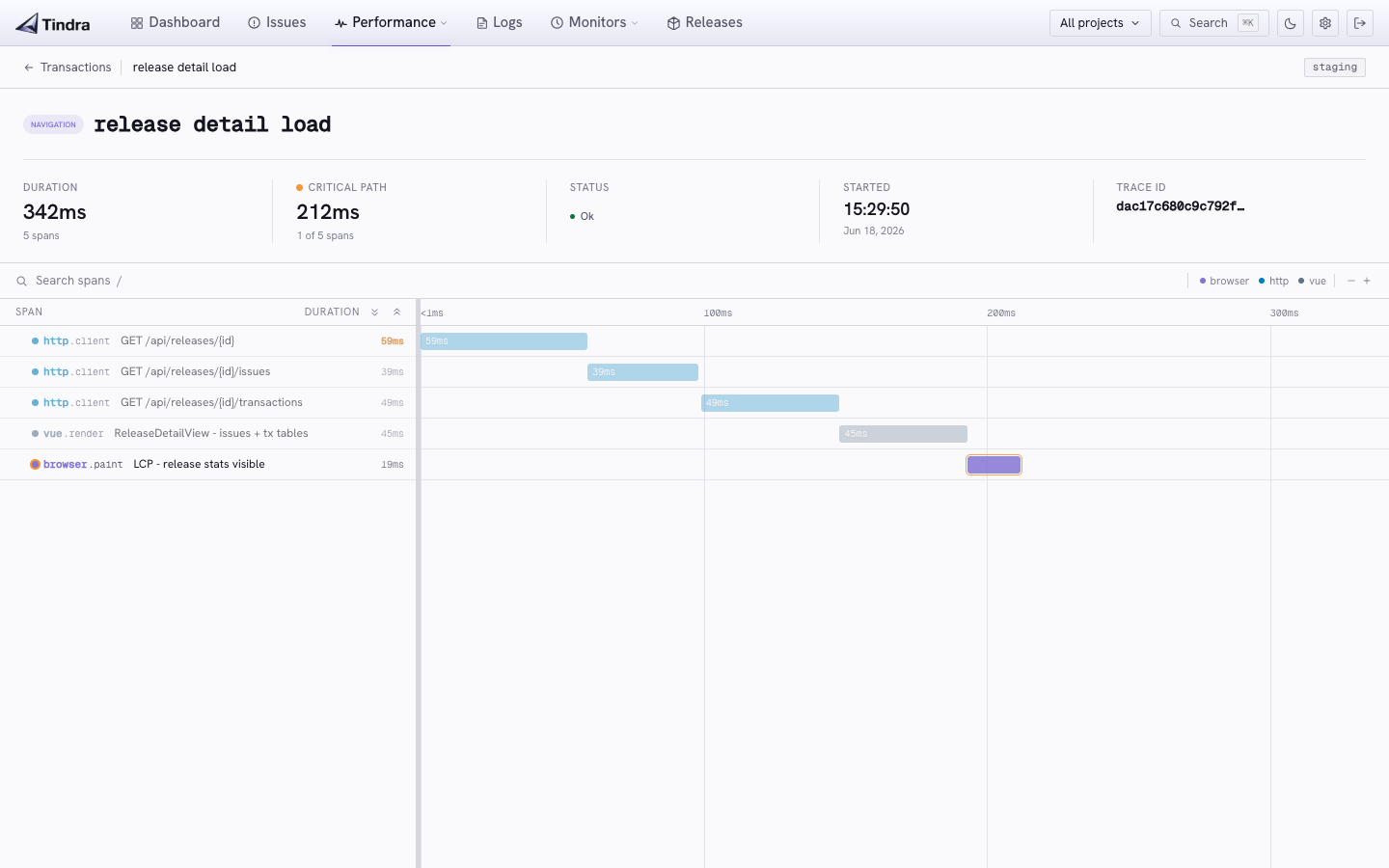
A transaction is a single traced operation from start to finish. Click any transaction in the performance list to see the full span waterfall.
Find a user's traces
Select an application user to switch the transactions list from grouped endpoint statistics to individual traces. Project, environment, and time still follow the shared filters; operation and release controls are hidden in this mode. Open a trace to inspect its waterfall, or clear the user to return to endpoint metrics.
An individual transaction has its own project and timestamp. Opening it preserves your investigation context for returning to the list.
The span waterfall
Each row in the waterfall is a span. A timed unit of work within the transaction. Spans are nested to show the call hierarchy.
Common span types captured automatically:
| Op | What it tracks |
|---|---|
db.query |
Database queries |
cache.get / cache.set |
Cache operations |
http.client |
Outbound HTTP requests |
queue.publish |
Dispatching a queue job |
view.render |
Template rendering |
The width of each bar is proportional to duration. Spans that appear late in the waterfall may be waiting on an earlier span to complete.
Critical path
Spans on the critical path are highlighted in amber. Everything else dims to 30-45% opacity. The critical path summary at the bottom shows the total number of critical spans and their cumulative duration.
A span is on the critical path if removing it would make the overall transaction faster. Focus your optimization effort there.
Reading the waterfall
Look for:
- Amber spans (critical path): these directly determine the transaction duration
- Wide spans: operations that take the most wall-clock time
- Long tail on a single span: could be a missing index or a slow external service
Custom spans
Add spans for your own code to get full visibility.
PHP / Laravel
$span = \Sentry\startSpan(
    \Sentry\Tracing\SpanContext::fromTraceparent(
        \Sentry\getTraceparent()
    )
);
$span->setOp('export.csv');
$span->setDescription('Generate monthly report CSV');

// ... your work

$span->finish();
Or use the higher-level helper:
\Sentry\trace(function () use ($data) {
    return generateCsvExport($data);
}, 'export.csv', 'Generate monthly report CSV');
JavaScript
const span = Sentry.startSpan({ op: 'process', name: 'Parse upload' }, () => {
  return parseUploadedFile(file);
});
Python
with sentry_sdk.start_span(op="process", description="Parse upload"):
    parse_uploaded_file(file)
Flame graph
If the transaction carried a profile, a flame graph appears below the waterfall. The waterfall shows which operation was slow; the flame graph shows which function inside it was running. Hover a frame for self and total time, click to zoom, Esc to zoom back out.
Nothing appears when there is no profile, which is the normal case until you turn on a profile sample rate. See Profiling.
Apdex
The transactions list and the dashboard KPI strip show an Apdex score per endpoint. T is 500ms. The waterfall itself does not show Apdex. It shows where the time went.
Transaction tags
Transactions carry environment and release data from the SDK. Use the shared environment filter in the performance list; the release control is available in the aggregate view when no user is selected.
Linking errors to transactions
When an error is captured during a transaction, Tindra links them. From the issue detail page, click View trace to jump to the transaction that was in flight when the error occurred.